What Is AI Lip Sync?
AI lip sync is technology that adjusts a character's mouth, jaw, and facial motion so it matches recorded or generated dialogue in a video clip. It is used for dubbing, localization, dialogue replacement, avatar videos, and AI-generated performances. In film workflows, the best results come from planning for sync early—locked dialogue, face-friendly framing, and editorial control—not from treating lip sync as a one-click fix after generation.
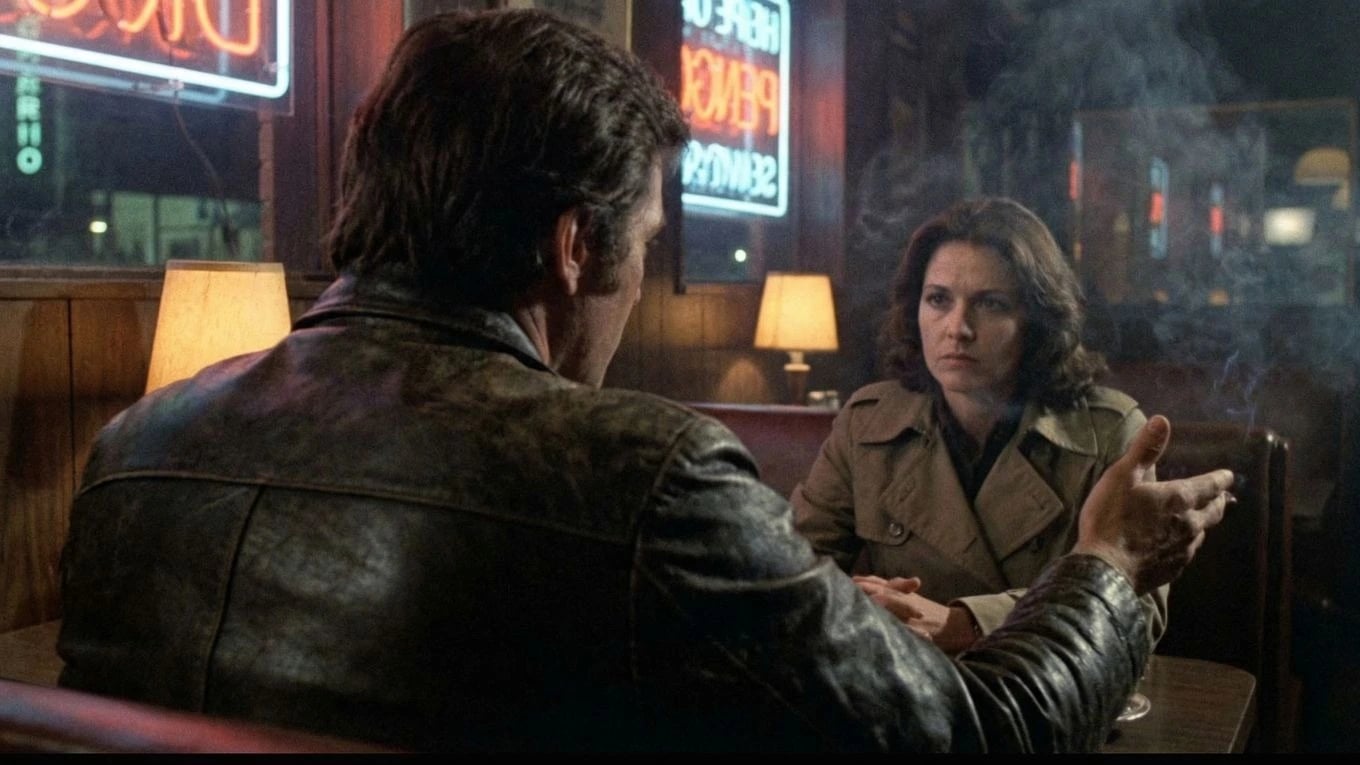
Definition
AI lip sync, defined
Tools may resync an existing face to new audio, generate talking-head video from a still, or refine performance inside an edit. Quality depends on face visibility, head angle, audio clarity, language, and whether the clip was framed for dialogue in the first place.
For narrative work, lip sync is one layer in a dialogue pipeline: writing, casting voice, recording or generating VO, generating or filming plates, syncing, reviewing takes, mixing, and final editorial approval.
See how dialogue sync fits production in the Ciaro Pro lip sync workflow —record, transfer, and sync inside your timeline.
Definition
AI lip sync is automated mouth and facial movement generation driven by an audio track so on-screen speech appears visually synchronized with the soundtrack.
How it works
How does AI lip sync work?
Provide source video or image
The model needs a visible face with enough resolution for mouth detail.
Provide target audio
Dialogue, dub track, or generated VO defines the timing and phoneme targets.
Analyze phonemes and motion
The system maps audio events to mouth shapes, jaw movement, and sometimes head motion.
Generate or retime the face
A new synced clip replaces or augments the original mouth performance.
Review in editorial context
Editors check sync accuracy, emotional performance, artifacts, and continuity with adjacent shots.
Benefits
Why filmmakers use AI lip sync
Faster dubbing and localization
Replace or add dialogue tracks without reshooting every talking shot.
Rescue usable takes
Fix minor sync drift or ADR mismatches when the performance otherwise works.
Support AI-generated characters
Make synthetic performances believable when native model speech is weak.
Iterate on dialogue
Test line changes or temp VO before final mix and picture lock.
Workflow example
Dialogue-first lip sync for AI film
Process beats model choice when sync is built into production instead of patched at the end.
- 1
Lock or guide the dialogue track
Final or guide VO sets timing before generation so mouth action has a target.
- 2
Frame for the face
Medium and close shots with clear mouth visibility sync more reliably than extreme profiles.
- 3
Generate or import the plate
Use storyboard references and character continuity so the face stays stable shot to shot.
- 4
Run sync inside the edit
Apply lip sync per clip, compare takes, and reject artifacts before moving on.
- 5
Mix and continuity check
Sound design, room tone, and adjacent-shot performance must still match after sync.
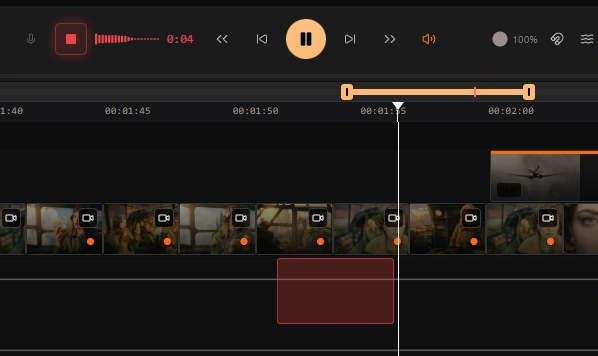
For a deeper production breakdown, read our AI lip sync workflow article on why process beats model choice.
Comparison
Native model speech vs post-sync
Approach
When it works
Risk
Native talking video model
Fast demos, simple talking-head clips
Weak control over performance and multi-shot continuity
Post-sync on generated clip
Rescue or localize an otherwise strong visual take
Artifacts if face angle, motion, or audio quality is poor
Audio-first pipeline
Narrative dialogue scenes with repeatable results
Requires planning before generation
Manual animation polish
Hero close-ups needing art-directed performance
Slower, but highest control for key shots
Use cases
Common AI lip sync use cases
Generated dialogue scenes
Sync VO to synthetic characters while preserving cast continuity across shots.
Dubbing
Match mouth movement to translated dialogue for international release.
ADR replacement
Swap lines after edit without rebuilding the entire shot from scratch.
Temp performance
Preview dialogue timing before final lip animation passes.

Proof
Performance first, then the mouth
Lip sync only works when the take, the voice, and the frame belong to the same shot. Framing, audio quality, and editorial review matter more than the model name.
Voice
Design or import the performance first
Timeline
Place the take on the same cut as the shot
Sync
Generate speaking video that follows the acting
Review
Judge it in context, then keep or recut
FAQ
Frequently asked questions
How accurate is AI lip sync?
Accuracy varies by face angle, resolution, language, audio quality, and model. Frontal or three-quarter close-ups with clean dialogue audio sync best. Profile shots, heavy motion blur, masks, or noisy audio increase artifacts. Always review synced clips in context with adjacent shots.
Can AI lip sync work on animated characters?
Yes, if the face is clearly visible and the tool supports the art style. Stylized characters may need more manual cleanup than realistic ones. Animation pipelines often combine AI sync for temp reviews with hand-polished final lip animation on hero shots.
Is AI lip sync the same as text-to-speech?
No. Text-to-speech generates the audio. Lip sync aligns visible mouth movement to an existing or generated audio track. Many workflows use both: TTS or recorded VO plus sync to the picture.
What is the best AI lip sync workflow for film?
Lock or guide dialogue first, frame shots for mouth visibility, generate or import plates with stable character identity, sync inside the edit, then review performance and sound together. One-click sync on random clips rarely survives a full scene.
Does Ciaro Pro include lip sync?
Yes. Ciaro Pro includes lip sync and voice workflows designed to sit inside a script-to-board-to-edit pipeline rather than as an isolated utility.
Explore next
Related answers and features
Sync dialogue inside the film pipeline
Use Ciaro Pro to connect voice, lip sync, storyboards, and edit—so performance stays reviewable shot by shot.