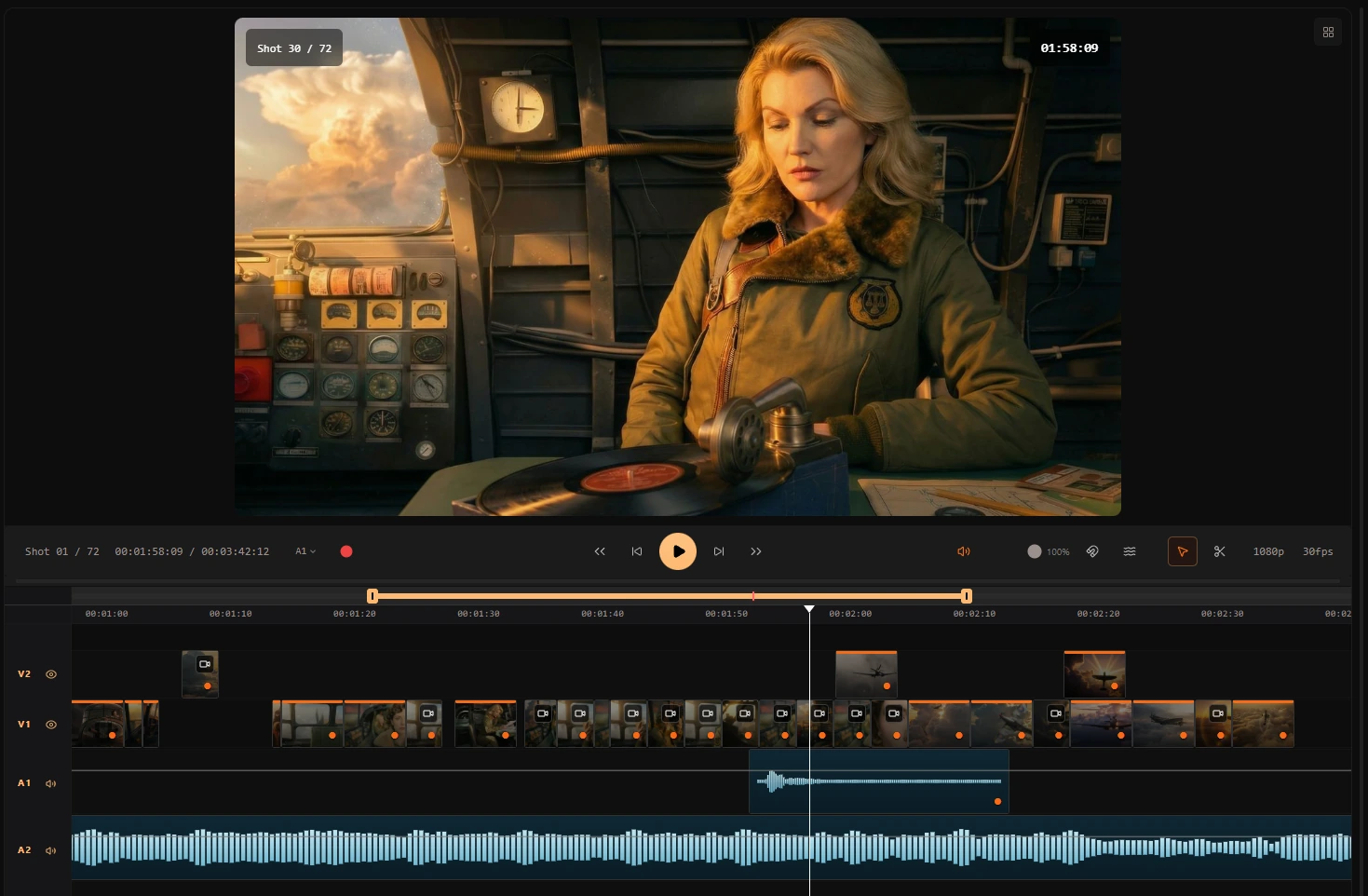
NLE
Assemble. Time. Perfect.
生成フレームをマルチトラックタイムラインへ配置し、フレーム精度で各ショットをトリム。最終レンダー前に編集を固められます。分断された AI 実験ではなく、実務の編集体験です。
AI 動画生成
最新かつ最も高性能な動画モデルで生成
タイムライン上の任意のフレームを選び、継続的に更新されるトップクラスのAI動画モデルでモーションを生成できます。新モデルは素早く追加されるため、編集中でも常に最新の品質を保てます。
最新の動画モデル一覧を見る編集ワークフロー
AI 制作向けのクリーンな編集プロセス
Ciaro Pro keeps the film editing process close to the material that created it. Instead of exporting clips from your storyboard into a separate stack of disconnected tools, you can assemble shots, test pacing, generate replacement motion, and refine the cut in one editorial workflow.
That matters most when timing is still evolving. Editorial choices, generation decisions, and sequence structure stay in context — and lip-synched dialogue shots slot directly into the timeline without leaving the platform.
文脈内でカット
ソースフレーム、生成クリップ、タイミング判断が接続された状態でシーケンスを確認できます。
再スタートなしで改訂
全体編集を壊さず、より強いモーションや更新ショットへ差し替え可能。シーケンス再構築は不要です。
出力
プロ品質の出力フォーマット
Pro/Studio プランでフル 4K 出力
映画的な色深度のための高ダイナミックレンジ出力
プロ向けカラーグレーディングの OpenEXR 形式
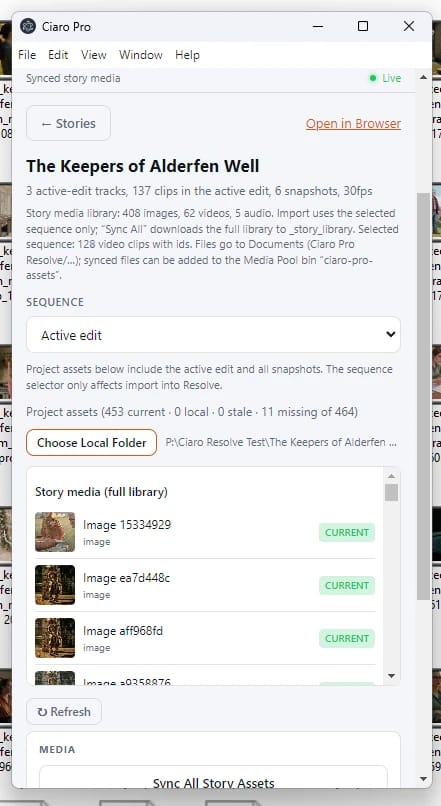
Ciaro Pro のタイムラインとアセットをそのまま編集環境へ
ストーリーメディアをローカルファイルシステムへ直接同期し、Ciaro Pro のシーケンスを Adobe Premiere Pro または DaVinci Resolve にそのまま取り込めます。手作業で編集を組み直す必要はありません。

Adobe Premiere Pro
Native sequence import
DaVinci Resolve
Local asset sync + edit handoff
Next to explore
Related workflows to continue with
Open connected Ciaro pages to compare capabilities and shape your production pipeline.