Your creative companion across the whole production journey
The Ciaro Pro AI Assistant stays with you from early story work through boards, prompting, and production decisions. It is not a help desk that explains buttons — it is a script companion, storyboard ally, and workflow partner that helps you push the story forward while you keep the creative calls.

Across your journey
One assistant from first idea to final sequence
Most tools answer a single question and disappear. Ciaro Pro’s assistant understands where you are in the project — the script beat you are on, the board you are reviewing, the shot you are about to generate — so advice stays relevant instead of generic.
- 1
Script & story
Pressure-test structure, sharpen dialogue, and unblock scenes while the draft still belongs to you.
- 2
Concept & shots
Reason through coverage, shot intent, and visual direction before expensive generation.
- 3
Storyboard
Shape boards, pacing, and approvals with context from the script and linked assets.
- 4
Prompting & production
Get supportive prompting help, compare takes, and keep moving through generation and edit.
Script companion
Push the story forward — not just explain how things work
The assistant behaves like a writer in the room who has read your draft. Ask it to challenge whether a scene earns its place, whether dialogue sounds like the character, or whether the second act needs a clearer turn. It suggests — you decide.
That makes it a strong AI screenplay companion for professional teams: useful for rough options when you are stuck, but most valuable when it helps you get the story right inside the project you are already building.
Script work lives in the professional screenwriting workspace with formatting, imports, and direct handoff to concepting and boards.
Structure & pacing
Explore act breaks, scene order, and whether the audience has enough context before the next beat lands.
Dialogue & tone
Test alternative lines, adjust register, and keep voice consistent without outsourcing the script.
Scene pressure-tests
Ask what a sequence is trying to achieve, what is missing, and what to cut before moving into visual work.
Storyboard support
Help shape boards, coverage, and shot intent
When you move from script to board, the assistant helps you think in shots: what needs to be seen, what can be implied, and how pacing reads across the grid. It supports planning and review — it does not replace the director or storyboard artist.
Because boards stay linked to scenes and assets in Ciaro Pro, suggestions can reference the actual production context instead of generic storyboard advice.
Boards are managed in storyboard software with script links, status tracking, and drag-and-drop reordering.
Coverage questions
Clarify whether you have enough angles, whether continuity holds, and whether the board tells the story without dialogue.
Approval prep
Summarise what changed between revisions so producers and stakeholders can approve with less back-and-forth.
Handoff to motion
Think through which frames are ready for generation and what references each shot needs.
Prompting & generation
Supportive when you move from plan to pixels
Prompting is easier when someone helps you articulate visual intent — composition, mood, character, camera, and what must stay consistent. The assistant helps you phrase stronger direction for image and video generation without taking over the look.
Use it while concepting, refining frames, or reviewing outputs: compare approaches, clarify what to change on the next pass, and keep the shot tied to the storyboard or script beat it serves.
Prompting sits on top of visual pre-production and shot planning where characters, props, and backgrounds attach to each shot.
Visual intent
Turn a vague idea into concrete direction: lens, lighting, action, and what the frame must communicate.
Iteration coach
Describe what failed in the last render and get options for the next pass without starting from zero.
Continuity reminders
Keep character, wardrobe, and world rules visible while you prompt so sequences stay coherent.
Your writing partner
A creative AI assistant that knows the production context
Good creative support gives professionals momentum without flattening taste. The assistant helps you get unstuck, explore alternatives, sharpen writing, and reason through scenes while the creative calls still belong to you.
Ask it to test a scene idea, rewrite dialogue in a different tone, challenge the structure of a sequence, or prepare notes for concepting, storyboards, and production. It stays most useful because it works inside your actual project context — not as a disconnected chat window.
Assistant help is strongest inside a director-led pipeline. Compare AI filmmaking software for script-to-screen creative control.
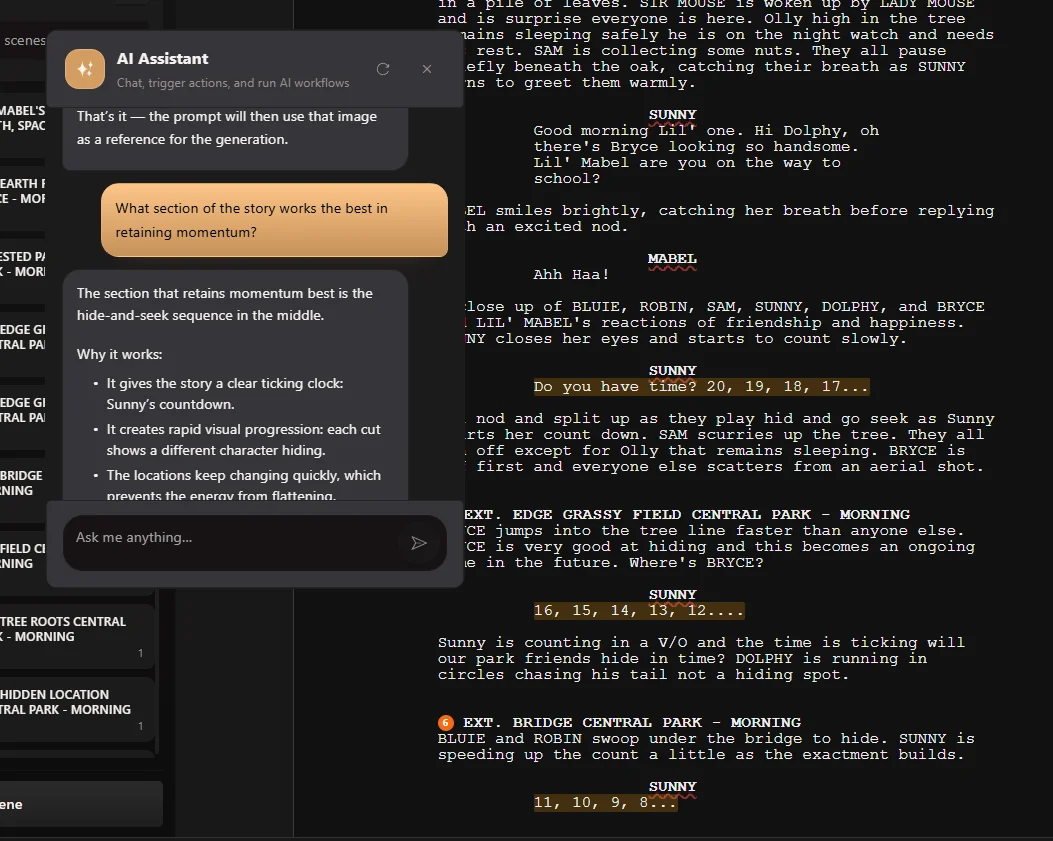
Production companion
Still there when you are in the app, not only in the script
The assistant is not limited to story work. When you are unsure how a feature works, how to approach a workflow, or where something lives in Ciaro Pro, you can ask and keep moving — whether that is shot concepting, storyboarding, generation, or export.
It can also help with account, plan, and project questions in the same conversation, so production support is built into the workflow instead of pulled off to the side.
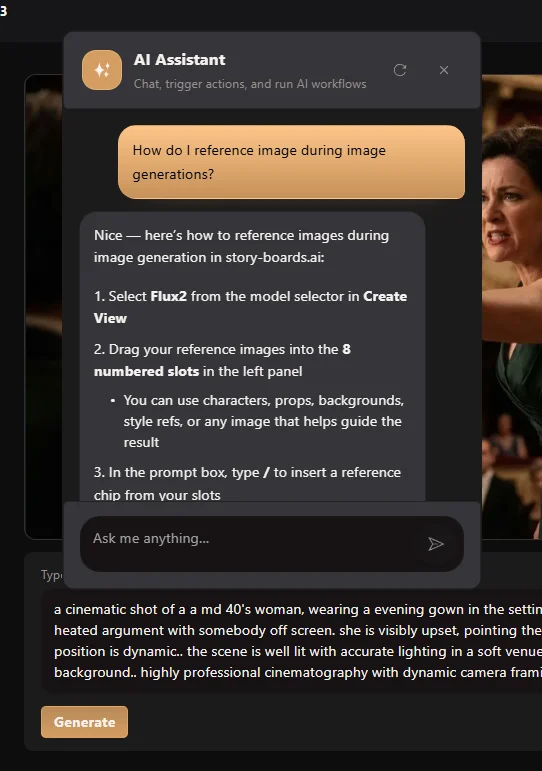
What the assistant helps with
One companion across writing, boards, prompting, workflow, and account questions — always in project context.
Script companion
Push the story forward with structure notes, dialogue options, and scene pressure-tests while you keep authorship.
Storyboard ally
Think through coverage, pacing on the board, and what to approve before generation spend.
Prompting support
Articulate visual intent, iterate on generations, and keep continuity visible while you prompt.
Scene & dialogue rewrites
Paste a scene or line and ask for alternatives, tonal adjustments, or structural improvements. You pick what makes the cut.
Workflow know-how
Ask how a feature works or how to move to the next stage — the assistant knows Ciaro Pro and your project context.
Context-aware answers
Characters, scenes, shots, and notes from your project inform suggestions so answers fit the work in front of you.
Proof
Used across the Biome Brigade production workflow
Biome Brigade Episode 01 moved from script through boards, generation, and edit with the same connected workspace — the kind of journey the assistant is built to support, not interrupt.
View Biome Brigade case studyQuestions about the AI Assistant
- Is the assistant a ghostwriter?
- No. It suggests options, asks useful questions, and helps you unblock — but creative decisions stay with your team. It is designed as a companion, not a replacement for writers or directors.
- Can it help with storyboards and prompting, not only scripts?
- Yes. It supports script work, board planning, visual intent, prompting, and workflow questions inside the same project context.
- Does it only explain how Ciaro Pro works?
- Explaining features is one capability. The primary value is helping you move the story and production forward — sharper scenes, clearer boards, stronger prompts, faster decisions.
- How is this different from a generic AI chat tool?
- Generic chat does not know your scenes, characters, shots, or board status. Ciaro Pro’s assistant works inside the production you are building.
Bring a companion into your next production
Open Ciaro Pro and work with an assistant that supports script, storyboard, prompting, and workflow — from first draft to final sequence.
Get Started FreeNext
Keep going from here
More on storyboards, generation, and finishing—chosen for the page you are on.