Make a movie with AI—without losing the plan
Plan scenes, keep characters consistent, generate shots, and edit in one structured production. Built for films, episodes, and trailers—not isolated clip experiments.
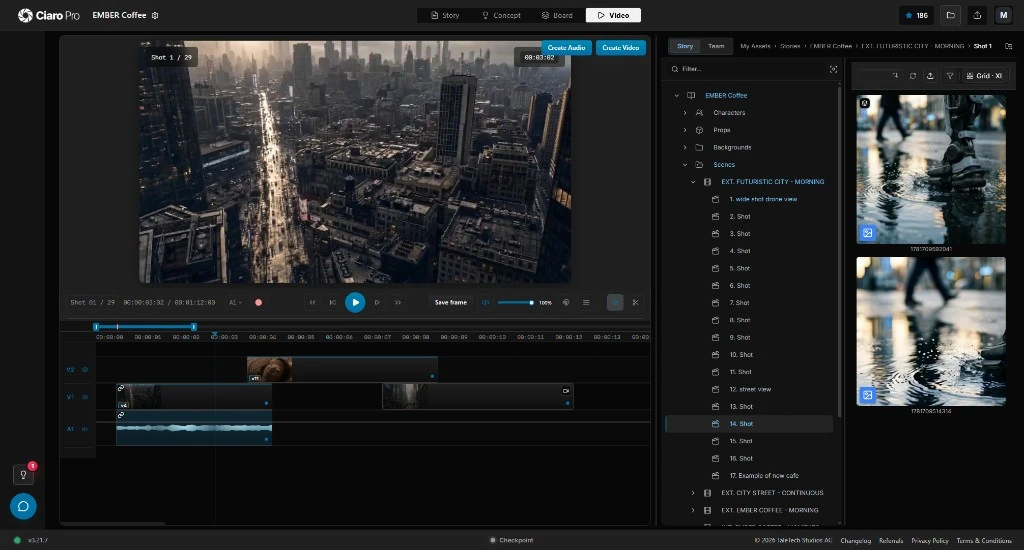
Not just prompting
AI Movie Making Requires Structure
Most AI movie generators create isolated clips. That is useful for experimentation, but it is not enough when you are trying to produce a film, episode, trailer, pitch sequence, or multi-shot story.
Real AI filmmaking depends on continuity, shot planning, scene structure, references, iteration, video editing, and timeline control. Without that structure, every generation becomes a new guess.
Ciaro Pro treats movie making as a production: script, scene, shot, storyboard, generation, and edit stay connected so creative intent survives the whole project.
Movie-scale work needs the same control as director-led productions. Compare AI filmmaking software for directors when you need director-led control from script to screen.


Write and structure the film
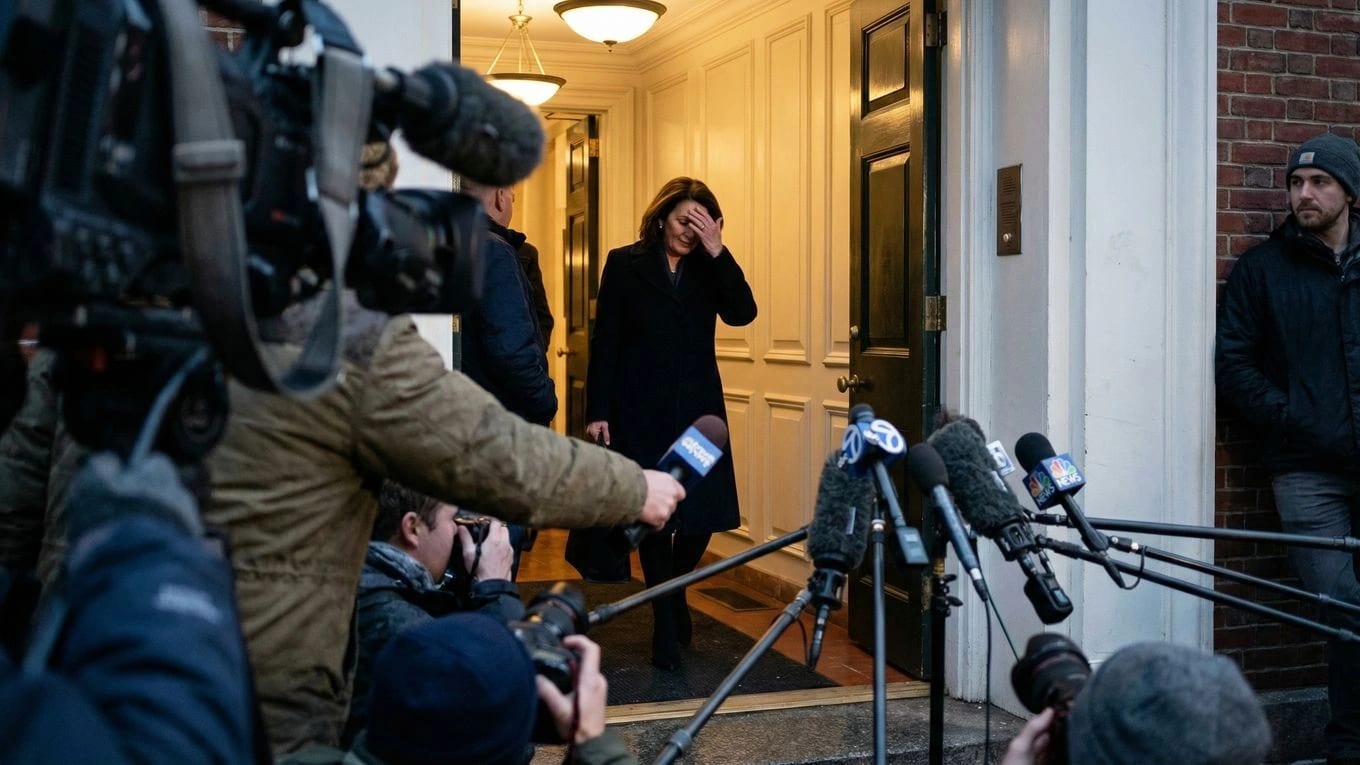
Develop screenplays and scenes in a writing workspace that stays linked to shots, characters, and production planning — not a disconnected doc export.
Plan and storyboard before you generate
Turn scenes into shots and boards so coverage, pacing, and visual intent are clear before you spend credits on AI video generation.
Generate, review, and edit in one place
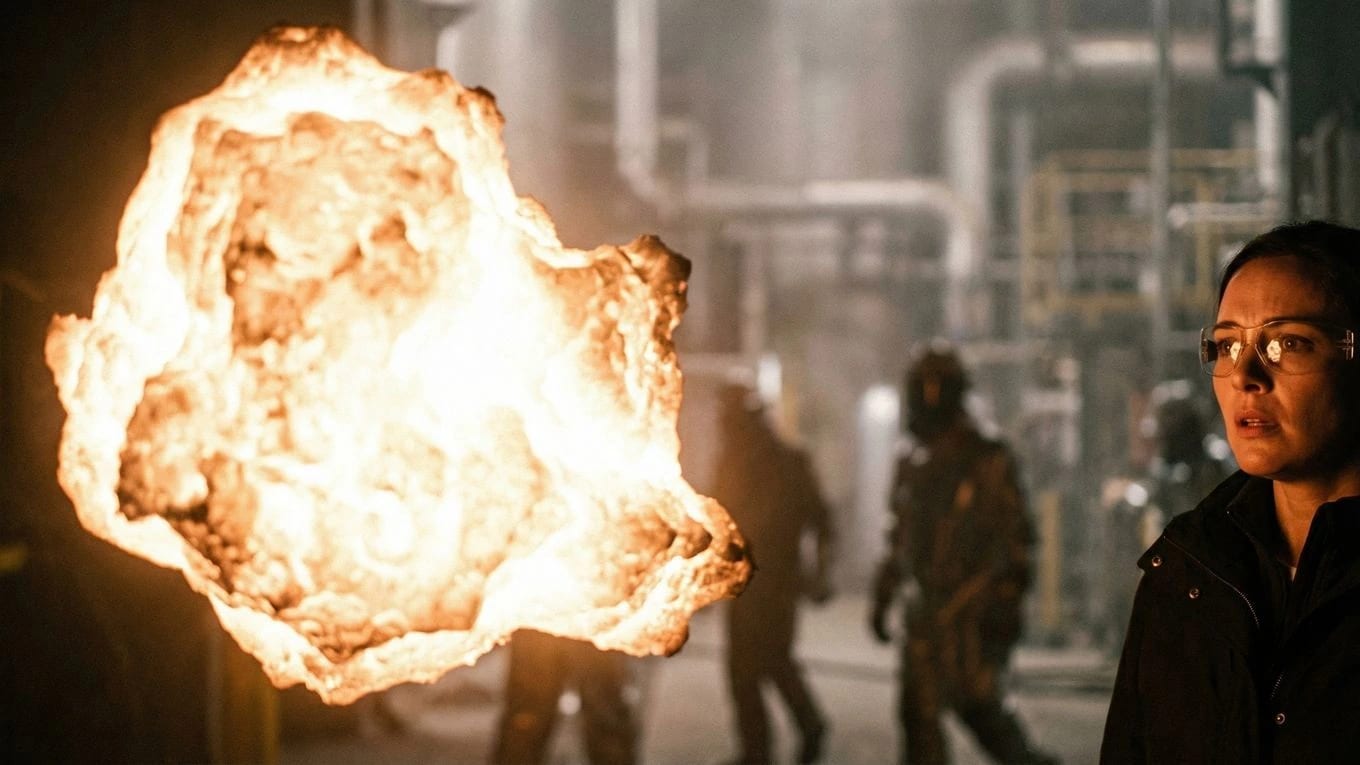
Create AI video from approved frames, assemble sequences on a timeline, and refine timing without losing script and storyboard context.
Workflow
From script to video, with the plan still attached
Video generation is only one stage. Around it: script, shot planning, storyboards, consistent clips, timeline assembly, and export.
After shots are planned, motion should follow the board. See the storyboard to video AI workflow that keeps frames tied to generation.
Write or import the script
Start from screenplay pages, a scene outline, or existing story material. Do not reduce the film to a single prompt.
Detect scenes and plan shots
Break the story into scene units, shot ideas, coverage, camera intent, and production notes.
Generate storyboard frames
Create visual boards that make pacing, composition, and continuity reviewable before video generation.
Maintain character and world consistency
Carry approved characters, locations, references, and visual intent across scenes instead of starting over every time.
Generate cinematic video clips
Use AI video generation software from planned frames and references, with each clip tied back to the larger production.
Assemble inside the timeline
Review takes, order shots, refine timing, and build sequences in an AI video editor connected to the project context.
Export the finished production
Move from concept to a reviewable film, animated episode, pitch sequence, or proof-of-concept without losing the plan.
From script to screen
AI filmmaking tools for the complete movie-making workflow
From script
Screenplay import and writing workflow
Scene structure and shot breakdowns
Script to video planning before generation
Storyboarding
Storyboard frame generation
Shot continuity and visual references
Camera planning before video spend
AI video creation software
Image-to-video generation from planned frames
Multi-model production options
AI video generator tools with production context
AI video editing software
Production timeline for multi-shot projects
Clip management and review
Iterative cinematic assembly and export
Built for filmmakers
Professional AI filmmaking software for directors, animators, and indie studios
Ciaro Pro is designed for filmmakers who need structure, consistency, and production control — not just isolated AI generations.
Use it for independent films, animated pilots, pitch sequences, concept trailers, music-driven visuals, previs, branded stories, and early production experiments where continuity matters. It is a better fit for serious film work than a generic free AI video creator built around single clips.

Continuity
Produce consistent multi-shot stories
The hardest part of AI filmmaking is rarely one impressive shot. It is keeping characters, worlds, visual language, and editorial intent coherent across many shots. Ciaro Pro keeps production decisions attached to the project so every generation starts with context.
Connected production workflow
Script, scenes, shots, boards, clips, and timeline
Script
Scene
Shot
Storyboard
Timeline
A continuity board view for keeping the same character, location, visual references, and shot intent aligned across storyboard frames and generated video stills.
Ciaro Pro vs clip generators
Ciaro Pro vs traditional AI video tools
Runway, Kling, Sora-style demos, Morph-style tools, and random AI video generators can produce impressive clips. But film production needs planning, continuity, references, versioning, and editorial control around those clips.
Ciaro Pro keeps scripts, storyboards, characters, locations, generated media, and edits in one workspace. That continuity is what turns AI-powered video tools into actual filmmaking infrastructure.
Capability
Ciaro Pro
Typical generator
Scene and shot planning
Built into the production workflow
Usually outside the tool
Storyboard workflow
Connected to script, shots, and video generation
Often missing or disconnected
Character and world continuity
Maintained through references and production context
Hard to preserve across clips
Timeline editing
Part of the workflow
Usually requires external editing software
Multi-shot projects
Designed for sequences, episodes, and films
Optimized for one-off clips
Creative control
Workflow-led and reviewable
Prompt-led and often unpredictable

Case study
A 4-minute animated episode produced by one operator
Biome Brigade Episode 1 was produced in under four weeks: script, storyboards, AI-assisted shots, and final edit in one project. Work that traditionally needs a larger team became possible for one operator with structured software.
Explore the workflow
Continue your movie workflow
Open the feature and proof pages for writing, planning, characters, generation, and edit when you are ready for the next stage.
FAQ
Common questions about AI movie making software
Is Ciaro Pro an AI movie making software or just an AI video generator?
Both capabilities exist, but the product is organized around movie production: writing, planning, storyboards, generation, and editing stay connected. Clip generators optimize for one prompt; Ciaro Pro optimizes for a film that develops across scenes.
Can I start for free?
Yes. If you are comparing free AI movie maker or free AI video creator options, the free plan gives you monthly credits to run a real project, generate storyboard images, and produce short clips before upgrading to Pro for larger monthly capacity and unlimited solo projects.
Do I need a large team or studio?
No. Independent filmmakers, creators, and small teams use Ciaro Pro to develop pitch material, proof-of-concept sequences, and animated or AI-assisted films without traditional crew scale.
How is this different from generic AI video tools?
Generic AI video tools focus on generating individual clips. Ciaro Pro connects writing, scene planning, storyboards, references, AI video generation, and editing so a project can develop as a film instead of a collection of unrelated outputs.
Can Ciaro Pro turn a script into an AI movie?
Ciaro Pro supports the script-to-video workflow around AI filmmaking: start from a screenplay or scene outline, plan shots, create boards, generate video clips, and assemble the result in the timeline.
AI film continuity
Keep characters, wardrobe, locations, and assets consistent across multi-shot AI scenes.
Start creating AI films with structure
Write, plan, storyboard, generate, and edit without losing the story between tools. Open Ciaro Pro and see whether the workflow fits your next film, animated pilot, or proof-of-concept.