From story to final cut
Ciaro Pro × DaVinci Resolve Studio
Your Ciaro stories. Your Resolve workflow.
Bring your stories, generated media and sequences into your Resolve workflow. Browse your Ciaro workspace and sync paired timelines from one plugin.
See how it works ↓Requires DaVinci Resolve Studio on Windows or macOS. macOS supports Apple silicon and Intel. Linux and free Resolve are not supported.
01 · Media
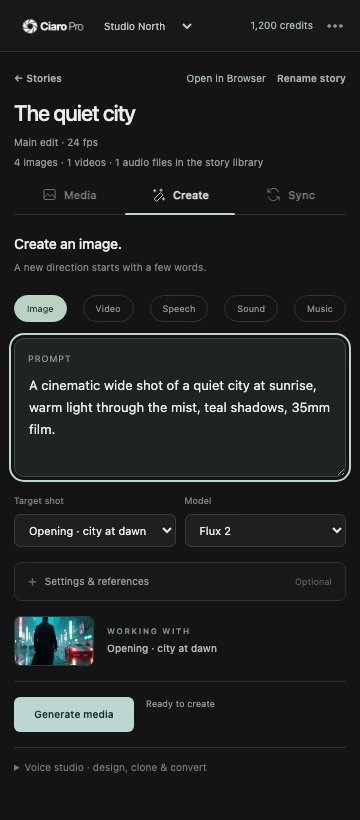
Your media, ready to edit
Browse story images, video and audio in your Ciaro workspace. Download the media you need and bring it into Resolve.
Install and connect →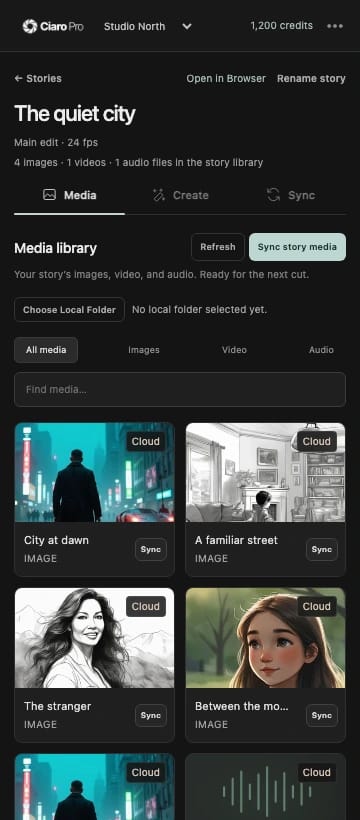
02 · Create
Create without breaking your flow
Generate images, video, voiceovers, sound effects and music from the plugin using your workspace credits.
Install and connect →03 · Sync
Keep paired sequences in sync
Import a Ciaro sequence, add your active Resolve timeline to a story, then sync paired sequences with Sync project.
Install and connect →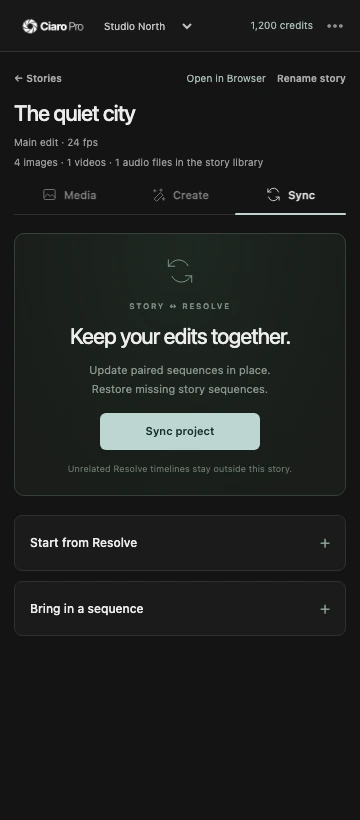
Get started
Requires DaVinci Resolve Studio on Windows or macOS. macOS supports Apple silicon and Intel. Linux and free Resolve are not supported.
- 1Close DaVinci Resolve and run the installer for your platform.
- 2Open Resolve Studio, then choose Workspace → Workflow Integrations → Ciaro Pro.
- 3Select Connect in browser, sign in to Ciaro Pro and choose your workspace.
A Ciaro Pro account is required. Media generation uses your workspace credits.
Before you download
Does it work with free Resolve?
No. The plugin requires DaVinci Resolve Studio and its Workflow Integrations support.
Which operating systems are supported?
The macOS installer is available now for Apple silicon and Intel Macs. The Windows installer is coming soon. Linux is not supported.
Do I need a Ciaro Pro account?
Yes. Connect in browser to choose your workspace. Generated media uses your workspace credits; download and sync your existing media from the same plugin.
Bring your next story into Resolve.
Keep creating in your editor
Bring your Ciaro stories into your editing workflow. Choose the plugin for your editor.
Premiere Pro plugin
Generate images, video, speech, music, and SFX, then sync Ciaro Pro assets into Premiere Pro bins.
Explore the pluginDaVinci Resolve plugin
Connect your workspace, choose a story and keep its media and sequences close to your edit. The plugin runs inside DaVinci Resolve Studio.
Explore the plugin