 UXP plugin for Adobe Premiere Pro
Your AI production studio, inside Premiere Pro.
Generate images, video, speech, music, and sound effects without leaving the edit. Connect your Ciaro Pro account, bring available assets into your bins, and keep production moving where the final decisions happen.
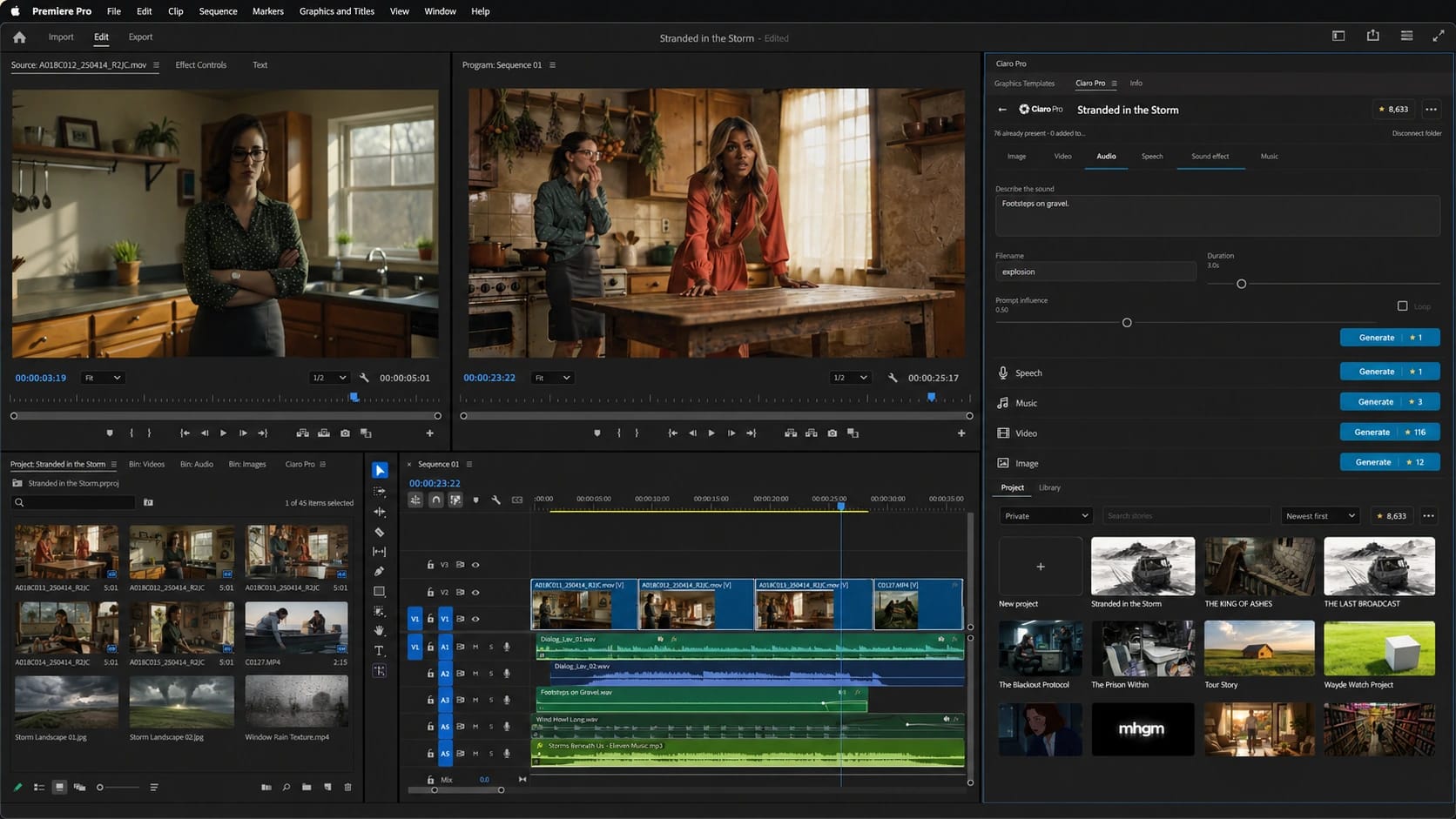
One panel. The full production toolkit.
The missing bridge
From approved storyboard to final cut—without breaking the flow.
Ciaro Pro is where the production takes shape. Premiere Pro is where many films are finished. The plugin connects those two moments, so the board, production assets, new generations, and editorial decisions can move forward as one workflow.
Plan and approve in Ciaro Pro
Develop the script, scenes, shots, characters, references, and storyboard before committing to final editorial work.
Connect the plugin
Sign in with your Ciaro Pro account and make your available production assets accessible inside Premiere Pro.
Create where you edit
Generate new visual and audio material, sync assets into bins, and keep cutting without a browser-to-desktop export loop.
Create in the edit
Five production tools, exactly where you need the next asset.
The plugin brings the core Ciaro Pro creation workflow into Premiere Pro. Fill a visual gap, build a sound layer, or create the next take while the sequence is still in front of you.
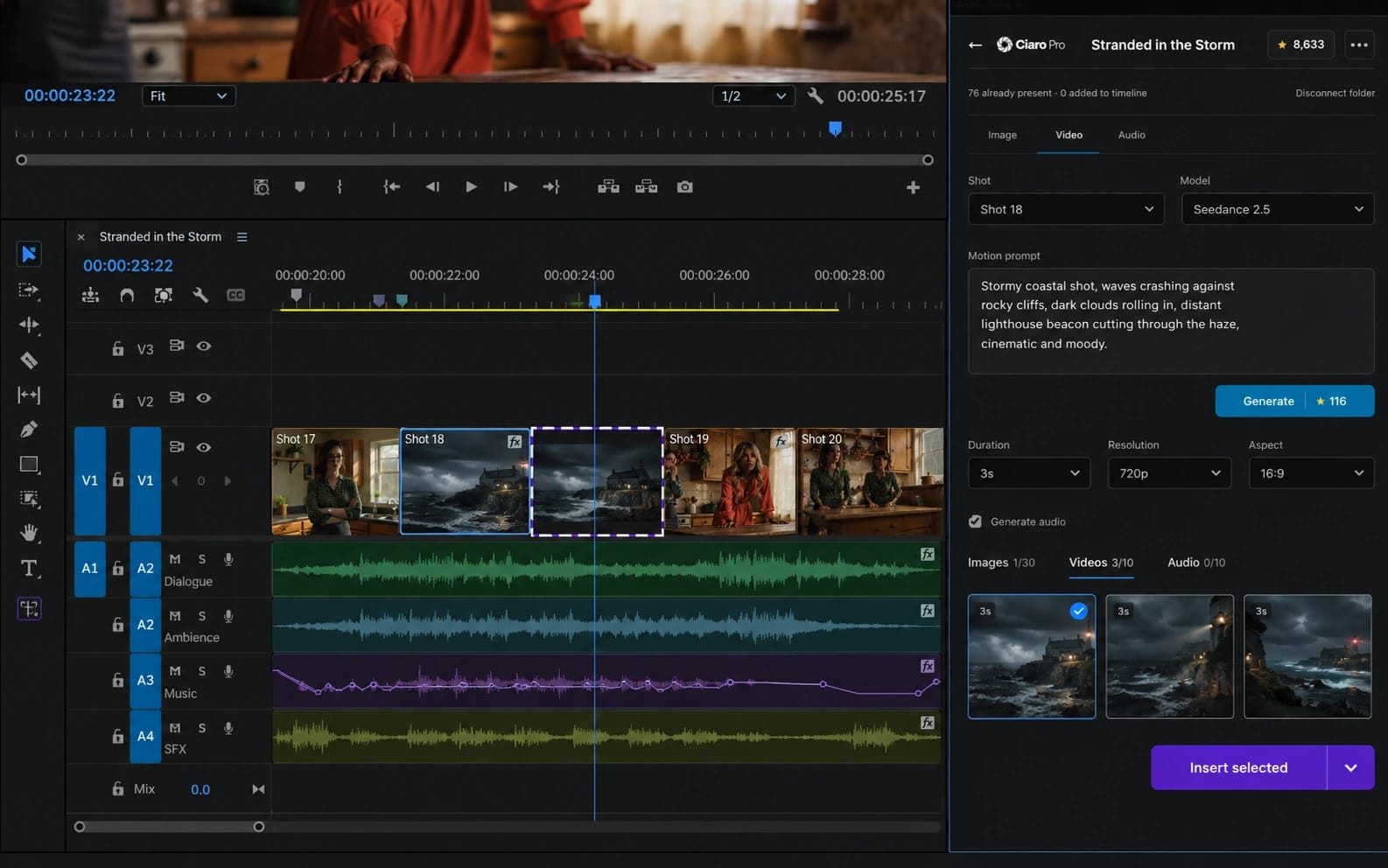
Generate video
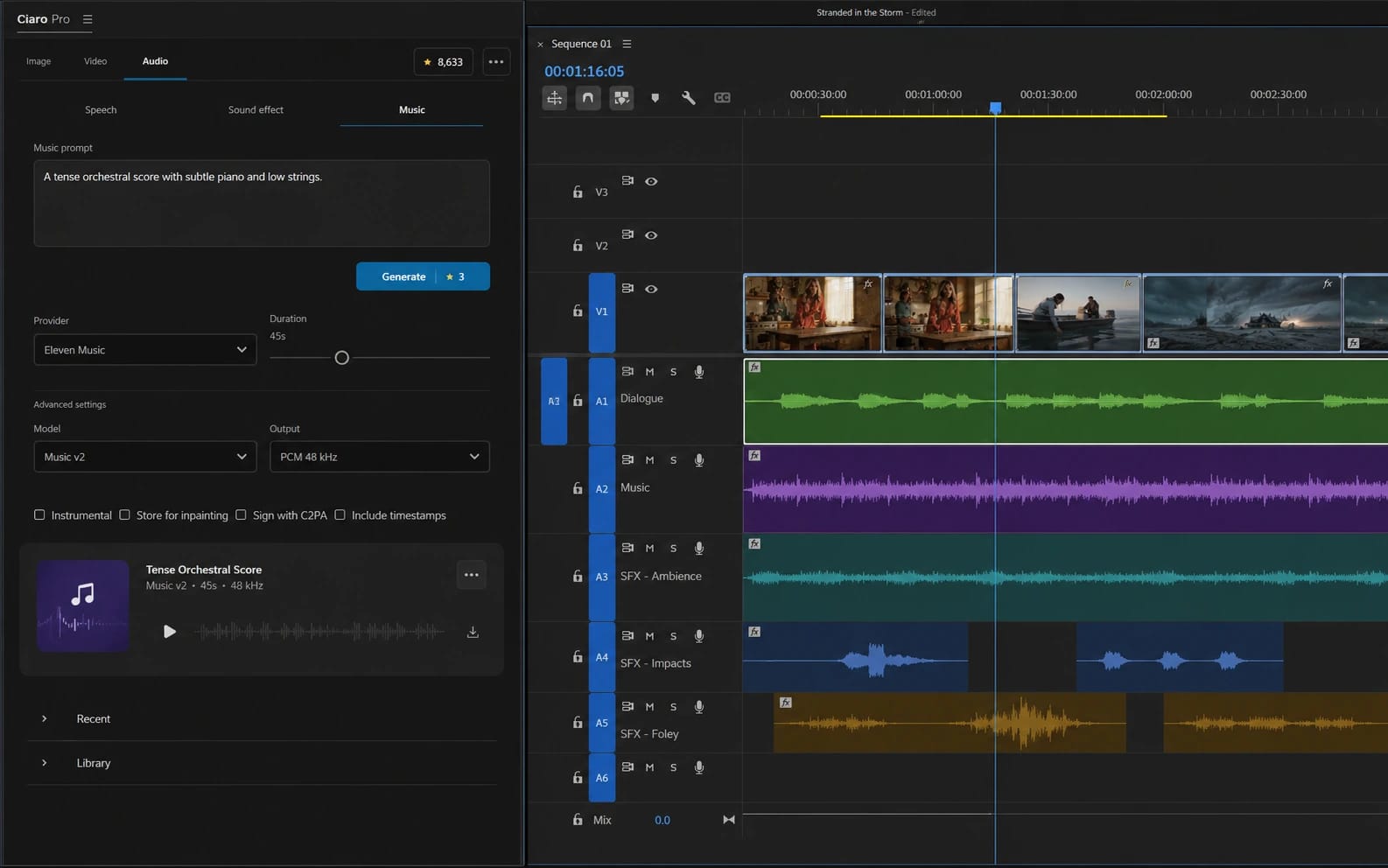
Make music
Generate images
Create speech
Design sound effects
Your assets, in your bins
Bring the Ciaro Pro production library into Premiere Pro.
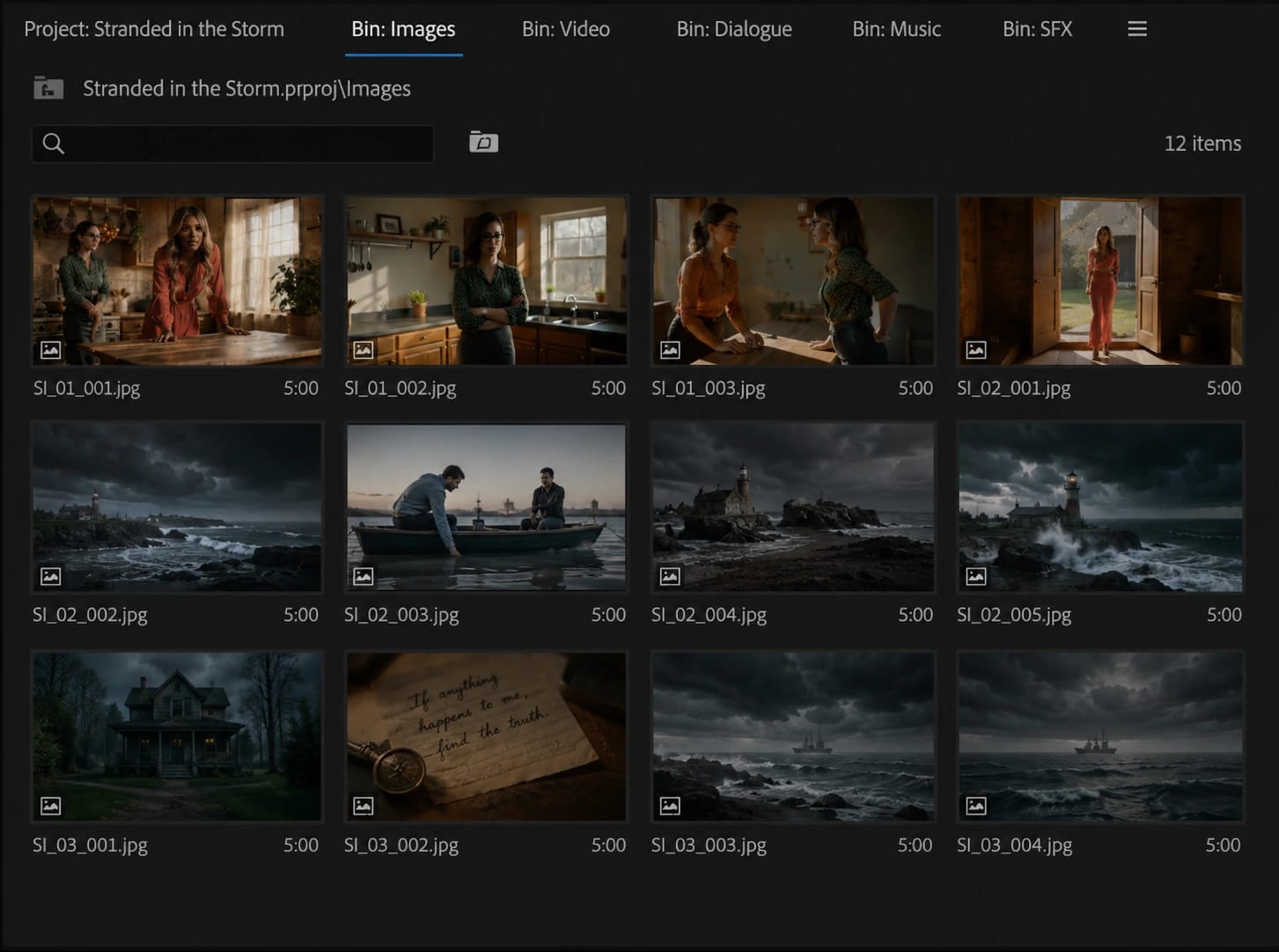
Connect the plugin to your account, browse the assets already available in Ciaro Pro, and sync them directly into the Premiere Pro project. Editors get the material where they expect it; the production keeps its shared source of truth.
- Sync available Ciaro Pro assets into Premiere Pro bins
- Keep generated images, video, voice, music, and SFX close to the cut
- Reduce manual downloads, folder hunting, and repeated imports
- Continue using Ciaro Pro as the production workspace before editorial handoff
Why it matters
AI generation becomes more useful when it understands the edit.
A standalone generator asks you to leave the timeline, recreate context, download a file, and import it again. Ciaro Pro for Premiere Pro shortens that loop. You can respond to the cut while the timing, gap, and creative intention are still visible.
Without the plugin
- Switch between browser tools and the NLE
- Download, rename, organize, and import by hand
- Rebuild creative context for every missing asset
With Ciaro Pro
- Create visual and audio media inside Premiere Pro
- Sync account assets directly into project bins
- Move naturally from storyboard planning into editorial production
Questions
Ciaro Pro for Premiere Pro
Put the production toolkit inside Premiere Pro.
Connect Ciaro Pro, sync your assets, and generate the next image, shot, voice, track, or sound without leaving the edit.
Adobe and Premiere Pro are trademarks or registered trademarks of Adobe in the United States and/or other countries.
Help Center
How to in Ciaro Pro
Step-by-step guides for the workflows on this page — from first click to finished output.
Next
Keep going from here
More on storyboards, generation, and finishing—chosen for the page you are on.
Keep creating in your editor
Bring your Ciaro stories into your editing workflow. Choose the plugin for your editor.
Premiere Pro plugin
Generate images, video, speech, music, and SFX, then sync Ciaro Pro assets into Premiere Pro bins.
Explore the pluginDaVinci Resolve plugin
Connect your workspace, choose a story and keep its media and sequences close to your edit. The plugin runs inside DaVinci Resolve Studio.
Explore the plugin