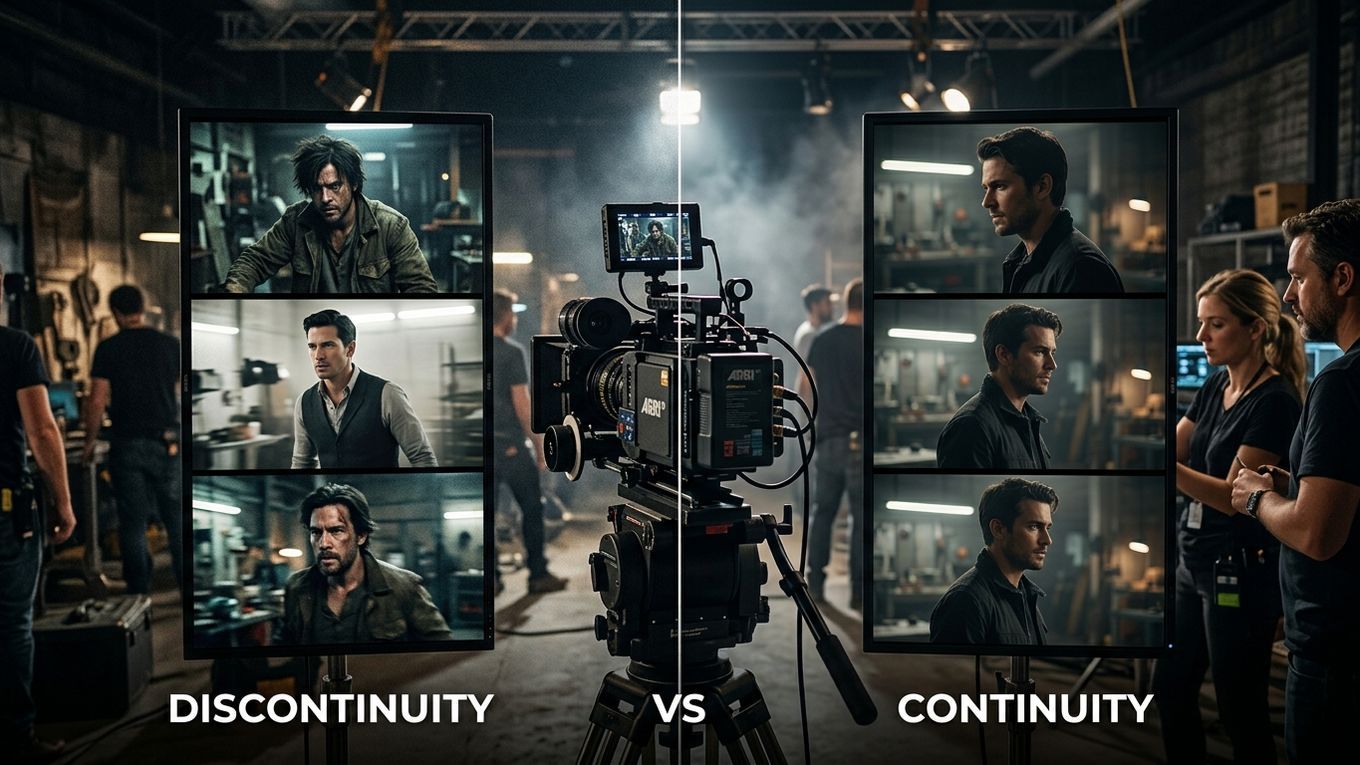
When an AI-generated film feels cheap, the problem is rarely one isolated artifact. Viewers are reacting to accumulated inconsistencies: shots that do not share a visual language, motion that lacks weight, edits that hide rather than shape performance, and sound that never makes the world feel physical.
This guide is a quality-control audit. Use it on a rough cut to identify which production layer is weakening the film—and whether the next hour should be spent regenerating, editing, compositing, grading, or redesigning sound.
The seven-layer quality audit
Score every category from 0 to 2:
- 0: visibly broken or absent
- 1: acceptable but inconsistent
- 2: controlled and intentional
| Layer | What to inspect |
|---|---|
| Art direction | Do the shots belong to one designed world? |
| Character and object continuity | Do identity, wardrobe, props, and state persist? |
| Camera language | Do framing and movement support the scene? |
| Motion and physics | Do bodies, objects, and cameras have believable weight? |
| Editorial rhythm | Do cuts create progression rather than conceal defects? |
| Finishing | Are color, texture, edges, and artifacts controlled? |
| Sound | Does the audio establish space, material, impact, and emotion? |
A score below 10 usually means the film needs more than a stronger model. The weakest layer should determine the next revision.
1. Art direction: one world, not ten good prompts
Look at a contact sheet of the sequence. Ignore motion and story for a moment.
Check:
- palette and contrast
- texture and level of detail
- lens character and depth of field
- costume and production-design logic
- weather and time of day
- the treatment of skin, materials, and highlights
If every shot was prompted independently, each may be attractive while the sequence lacks a governing taste. Create a short visual rulebook: three palette references, two lens or framing principles, approved character and location images, and a list of prohibited looks.
The purpose is not uniformity. It is controlled variation inside one film.
2. Continuity: track state, not just appearance
Continuity includes more than keeping a face recognizable. Track what changes during the scene:
- wardrobe condition
- props held or moved
- screen direction and eyelines
- time of day and light direction
- character position
- emotional state
- damage, dirt, weather, or other accumulating effects
Create a continuity row for every shot. If Shot 18 ends with the character holding a wet red folder in her left hand, Shot 19 should either preserve that state or visibly explain the change.
Regeneration is appropriate when identity or a story-critical object is wrong. A minor background inconsistency may be cheaper to crop, paint, obscure, or accept.
3. Camera language: remove unmotivated spectacle
AI video often produces movement because movement looks impressive. That does not make it useful.
For every camera move, ask:
- What new information does it reveal?
- Whose attention does it represent?
- Does its speed fit the emotional beat?
- Can the adjacent shot cut with it?
- Would a locked frame be stronger?
A slow push-in can focus attention. A lateral move can reveal geography. A handheld frame can create instability. A floating orbit with no dramatic function usually makes the production feel synthetic.
Choose a limited camera vocabulary for each sequence and reject movement that contradicts it.
4. Motion and physics: judge the whole action
Watch difficult shots at full speed, half speed, and frame by frame. Inspect:
- foot contact and weight transfer
- hand-object interaction
- acceleration and stopping
- fabric and hair response
- facial motion during speech
- camera parallax
- object permanence
Decide whether the defect is visible at delivery speed. Some frame-level anomalies disappear in motion; others destroy the action.
Use the cheapest reliable correction:
- trim before the failure
- cut to an insert or reaction
- retime a stable section
- composite or paint the defect
- regenerate with tighter constraints
- redesign the shot
Do not regenerate automatically. Editorial problem-solving is often faster and more controllable.
5. Editorial rhythm: stop cutting around emptiness
A fast montage can disguise weak shots, but speed does not create dramatic progression.
Mute the film and mark what changes at every cut. Each cut should ideally do at least one job:
- reveal information
- shift power or attention
- advance action
- show consequence
- change scale
- create or release tension
If several consecutive shots only repeat the same information, the film feels like a showreel. Remove duplicates and hold longer on the shot where the meaningful change occurs.
Use temporary cards for missing coverage instead of pretending the edit is complete. A visible “reaction close-up required” placeholder is more useful than a polished but irrelevant clip.
6. Finishing: make the sequence agree
Once the cut works, normalize the material.
A finishing pass can include:
- matching exposure, white balance, and contrast
- controlling saturation and highlight behavior
- reducing inconsistent sharpness or plastic texture
- stabilizing edges and repairing small artifacts
- adding coherent grain or texture
- compositing products, logos, or screens precisely
- checking titles, captions, and delivery formats
The goal is not to force every shot into the same grade. It is to prevent technical differences from announcing which model or generation produced each clip.
7. Sound: the fastest route to physical credibility
Weak sound makes expensive images feel weightless. Build audio in layers:
- room tone or environmental bed
- specific action sounds
- movement and cloth
- impacts and material detail
- dialogue or voice
- music
- transitions and perspective changes
Sound should respond to distance and space. A door in a concrete corridor should not sound like the same door in a carpeted room. A camera cut closer to a machine can justify a corresponding change in detail and level.
Then play the sequence audio-only. If the action and emotional progression disappear, the sound is decorating pictures rather than supporting the film.
A practical repair order
When a rough cut scores poorly, repair in this order:
- story and shot purpose
- missing coverage
- character, prop, and geography continuity
- edit structure and timing
- motion defects
- compositing and color
- sound design and mix
- final technical quality control
This order matters. Polishing a shot that will be removed is wasted work.
A connected AI film production workflow helps preserve references, shot intent, versions, and approvals before finishing begins. The audit itself remains tool-neutral: identify the weakest production layer, choose the cheapest reliable correction, and rewatch the complete sequence.
A professional-looking AI film is not the one with no imperfections. It is the one in which art direction, performance, camera, edit, finishing, and sound feel like deliberate parts of the same work.