What Is AI Storyboarding Software?
AI storyboarding software helps filmmakers, agencies, and creative teams turn scripts into visual storyboards faster by automatically generating scenes, shots, characters, and production assets. Ciaro Pro combines screenwriting, storyboarding, asset management, AI image generation, and production planning in one platform.
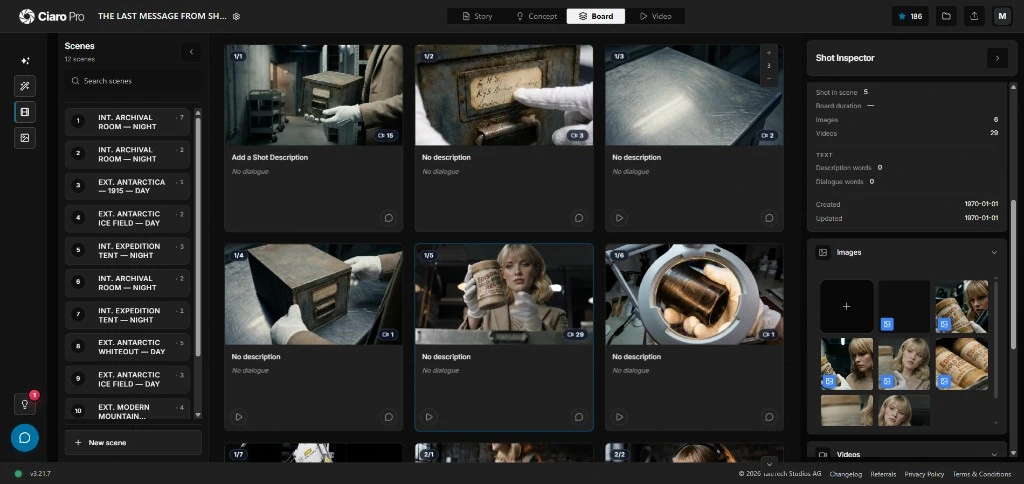
Definition
AI storyboarding, defined
Unlike a standalone image generator, AI storyboarding software treats each frame as a production artifact: it carries the scene, the camera intent, the characters, and the next step toward a finished shot.
That connection is what separates a usable board from a gallery of disconnected images.
For the commercial software page, use AI storyboard software for film teams inside Ciaro Pro.
Definition
AI storyboarding software is a platform that turns a script or brief into visual storyboards by generating shots, scenes, and characters, then keeps those frames connected to the production workflow from pre-production through edit.
How it works
How does AI storyboarding work?
AI storyboarding reads your story, breaks it into shots, and generates frames you can review and refine — without losing the production context behind each image.
Import or write the script
Start from screenplay pages, a scene outline, or a structured brief that defines the story beat.
Break scenes into shots
The system proposes coverage, camera choices, and character action so each frame has production intent.
Generate storyboard frames
AI creates boards informed by shot context, references, and scene continuity — not isolated prompts.
Review and refine
Check pacing, screen direction, and coverage, then iterate on frames while references stay attached.
Hand off to production
Approved frames move into AI video generation and the timeline, keeping the chain from script to edit intact.
Benefits
Why teams use AI storyboarding
Visualize the first draft in minutes
Production teams can generate an initial storyboard in minutes rather than spending several hours creating a first visual draft manually.
Keep characters and worlds consistent
Approved character, prop, location, and style references carry across shots so boards stay coherent as they evolve.
Plan coverage, not just pictures
Shots capture camera intent and action, turning storyboards into a real plan the crew can execute.
Stay in one connected workflow
Script, boards, assets, generated clips, and timeline live together — no exporting context between disconnected tools.
Review and approve faster
Status, notes, and sequence context make client and director sign-off clearer than a flat gallery review.
Move from board to motion
Approved frames feed image-to-video generation, so the planned shot becomes the starting point for the clip.
Workflow example
From script to screen in one pass
A typical Ciaro Pro storyboard run keeps every stage linked, so nothing is rebuilt when a scene moves toward production.
- 1
Scene 1 — written and imported
The screenplay scene defines the beat, the characters present, and the location.
- 2
Shots blocked out
Coverage is split into wide, medium, and close shots with camera and action notes.
- 3
Frames generated
Each shot card produces a board using the scene's references and continuity.
- 4
Approved and sent to video
Signed-off frames become the source for AI video generation and timeline assembly.
When shots are ready for motion, follow the storyboard to video AI workflow to turn approved boards into clips.
Comparison
Ciaro Pro vs traditional storyboarding
AI storyboarding earns its place when it does more than draw frames. Here is how a connected platform compares to manual boards and prompt-only generators.
Capability
Ciaro Pro
Manual / prompt-only tools
Time to first draft
Minutes from script to boards
Hours of manual drawing
Script connection
Boards stay tied to scenes
Disconnected from the script
Character consistency
Shared reference library
Redrawn or re-prompted each time
Review workflow
Status, notes, sequence context
Flat gallery review
Production handoff
Boards feed AI video and edit
Exported elsewhere, context lost
Who uses it
Who uses AI storyboarding software?
Anyone who needs to plan a multi-shot sequence and carry that plan into production benefits from script-linked boards.
Pre-visualize sequences
Block coverage and test pacing before committing crew, cast, or render time.
Pitch and client review
Turn a brief into a sharable board fast, then iterate with clear status and notes.
Plan ambitious shots on a budget
Design complex sequences and move straight into AI video without a large team.
Keep worlds consistent
Maintain characters, props, and style across every shot in an episode.


Proof
Storyboards that lead to a finished cut
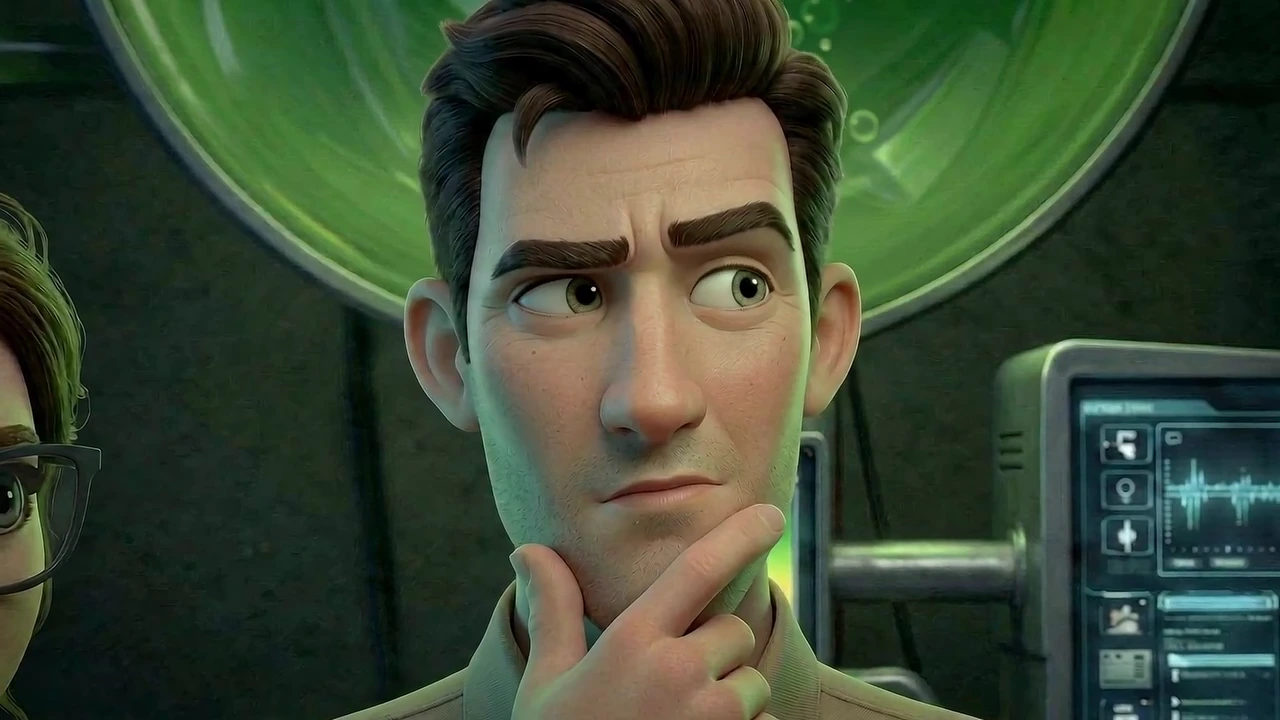
Biome Brigade Episode 1 moved through script, storyboard planning, generated shots, and final edit as one connected workflow — proof that boards matter beyond the frame.
Minutes
From script to a first storyboard draft
1 workflow
Script, boards, video, and edit connected
4 minutes
Finished animated episode runtime
< 4 weeks
Total production time
FAQ
Frequently asked questions
Can AI generate storyboards from a screenplay?
Yes. AI storyboarding software reads scenes from a screenplay or brief, breaks them into shots, and generates storyboard frames informed by that context. In Ciaro Pro the boards stay linked to the scene, so the generated frame reflects the actual story beat rather than an isolated prompt.
How accurate are AI-generated storyboards?
Generated frames are a strong first visual draft you then refine. Accuracy improves significantly when the tool uses shot context, character references, and continuity — which is why Ciaro Pro attaches references to each shot instead of treating frames as one-off images.
Can multiple team members collaborate on storyboards?
Yes. Boards include status, notes, and sequence context so directors, producers, and clients can review and approve work together. Shared references keep everyone aligned as the storyboard evolves.
Is AI storyboarding suitable for feature films?
It is well suited to planning sequences, previs, and pitch material across projects of any length. For features, the value comes from speed on early drafts and from keeping characters, worlds, and coverage consistent across many shots.
How much time does AI storyboarding save?
Teams can generate an initial storyboard in minutes rather than spending several hours producing a first visual draft by hand. The larger saving comes later: because boards stay connected to the script and to AI video generation, you avoid rebuilding context at each production stage.
Explore next
Related workflows
AI storyboarding connects to screenwriting, characters, production, and asset management across Ciaro Pro.
Storyboard with AI, then keep producing
Create storyboards from scripts, review shots in context, and move approved frames into AI video production without rebuilding the workflow.