How Do You Turn a Script Into a Storyboard?
Script to storyboard means turning written scenes into a shot-by-shot visual plan. The script is parsed into scenes and beats, each beat becomes coverage with camera and action notes, and those shots become storyboard frames. In Ciaro Pro, the board stays linked to the original scene, cast, and production assets, so it can guide review, AI video generation, and editing instead of becoming a disconnected image set.
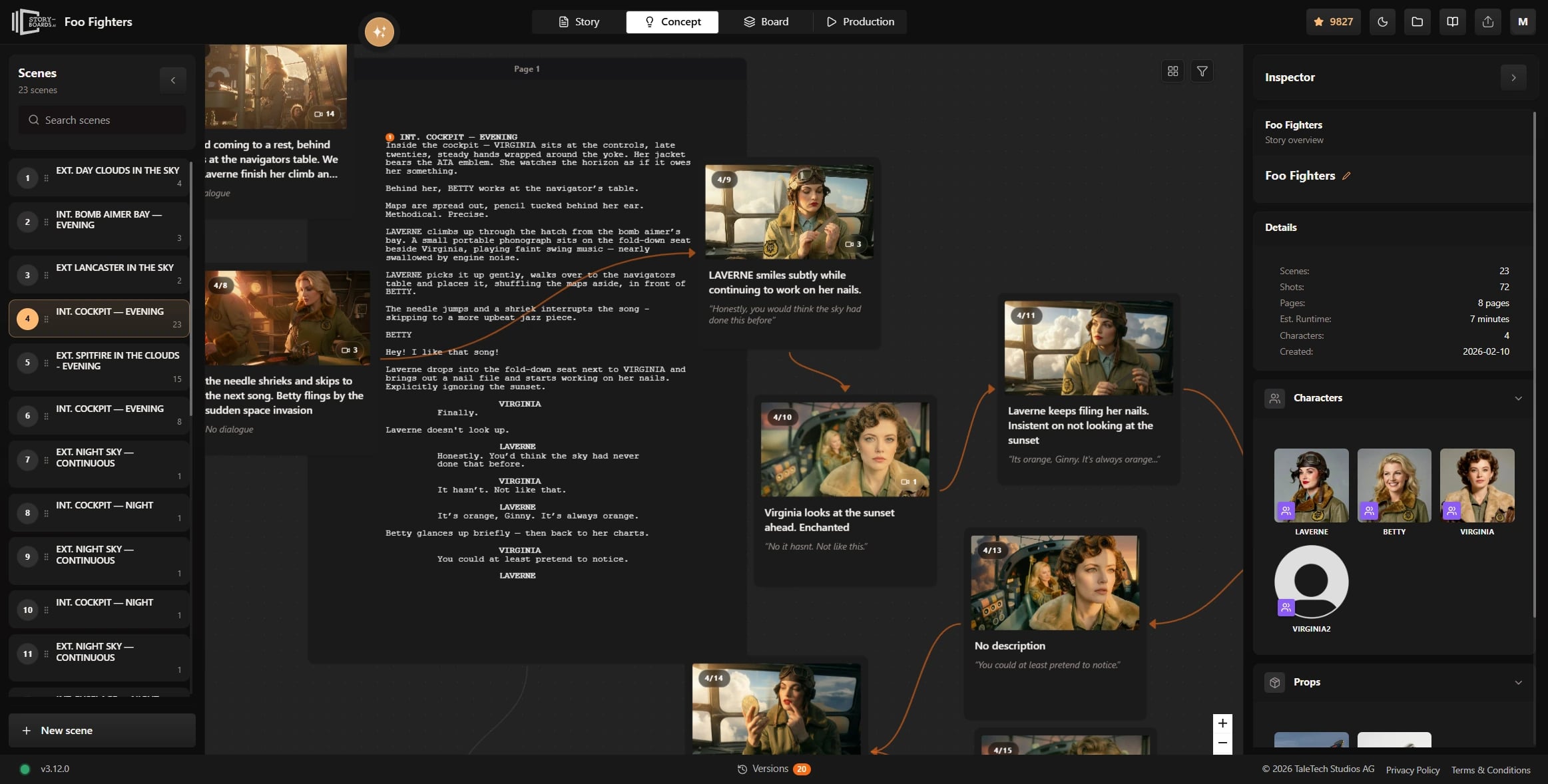
Definition
Script to storyboard, defined
The practical value is not just speed. A good script-to-storyboard workflow preserves the structure that is already inside the screenplay: sluglines, characters, locations, action, and sequence order.
That context is what makes the storyboard usable. Each panel should know which scene it belongs to, what story beat it illustrates, and what comes next when the team moves into video or production planning.
For the broader category, see AI storyboarding software and how boards connect to video production.
Definition
Script to storyboard is a pre-production workflow that converts screenplay text (or a structured brief) into shot lists and storyboard panels, preserving scene context, character presence, and coverage intent for the crew or AI production pipeline.
How it works
How does script to storyboard work?
A connected script-to-storyboard pipeline reads the story once, then builds shots and frames on top of that structure.
Import or write the screenplay
Load Final Draft, Fountain, or native screenplay pages—or write directly in the script workspace.
Identify scenes and beats
The system maps sluglines, characters, and locations so each visual plan knows its story context.
Break coverage into shots
Scenes split into wide, medium, close, and action shots with camera direction and blocking notes.
Generate or draw frames
AI or artists produce panels per shot, using character and location references for continuity.
Review and hand off
Approved shots move to animatics, AI video, or a traditional shoot—with script links intact.
Benefits
Why teams automate script to storyboard
No re-typing the script
Scene headings and character lists flow from the screenplay into shot cards automatically.
Faster first visual draft
Teams move from text to a reviewable board in minutes instead of hours of panel-by-panel setup.
Coverage you can discuss
Shot notes capture intent so directors and clients approve a plan, not just a gallery of images.
Consistent characters
Cast references attach to shots so the same face and wardrobe appear across the sequence.
One path to video
Approved frames feed image-to-video and timeline tools without exporting context.
Clearer client reviews
Status, notes, and sequence order make feedback actionable on multi-shot projects.
Workflow example
From slugline to signed-off board
A typical run keeps the screenplay as the source of truth while visuals catch up to the written scene.
- 1
Scene imported
INT. LAB — NIGHT arrives with characters and action from the script.
- 2
Shots proposed
Establishing wide, two-shot dialogue, and insert on the key prop.
- 3
Frames generated
Each shot card produces a board using scene references.
- 4
Director approval
Notes resolved; sequence marked ready for motion or shoot.
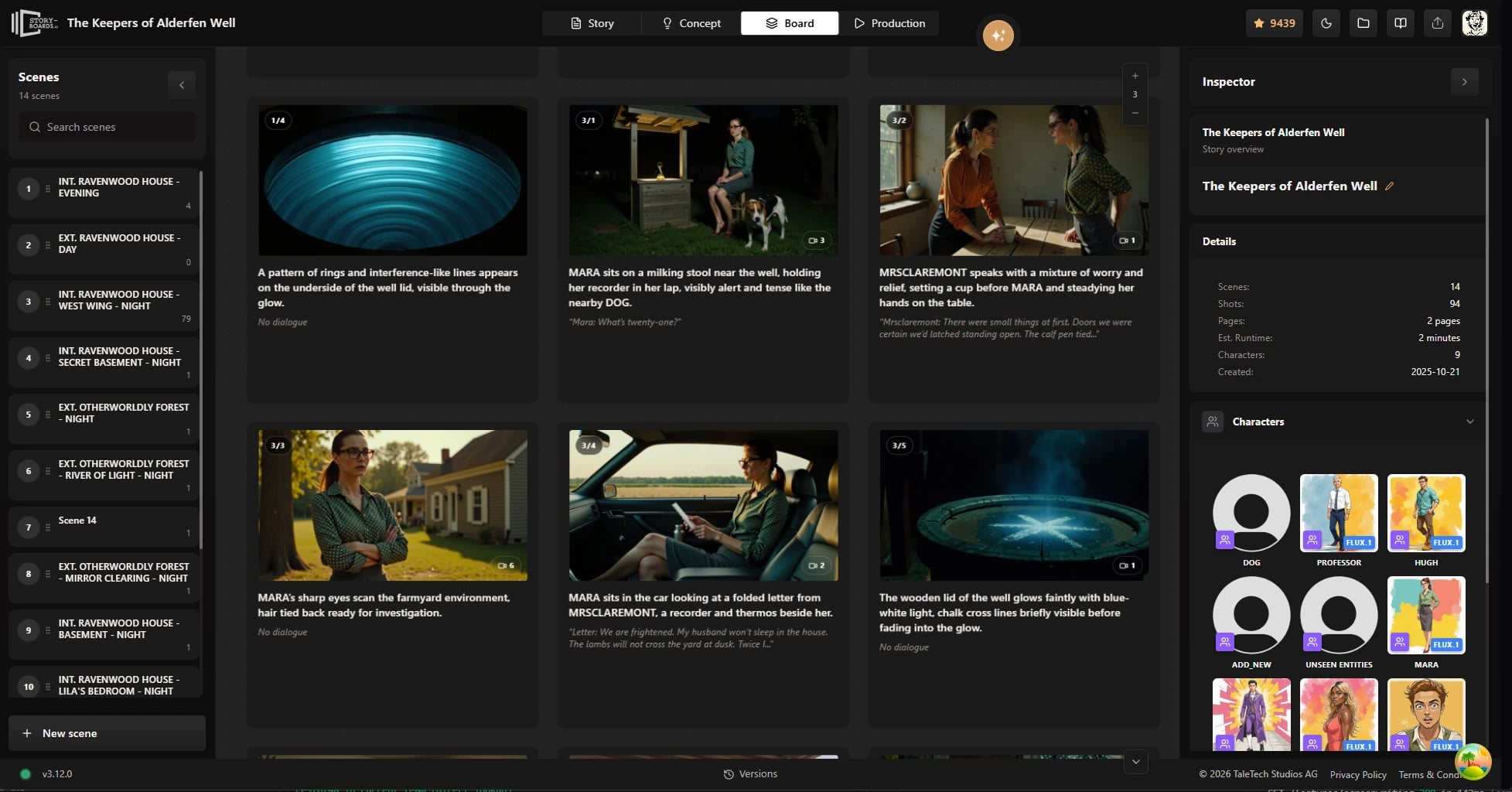
When boards are approved, use storyboard to video AI to animate planned frames on a timeline.
Comparison
Connected script-to-storyboard vs basic converters
A PDF-to-image converter can help with a first pass. Production teams need more: the relationship between script, shot, frame, and next step has to survive review and handoff.
Capability
Ciaro Pro
Standalone converters
Script linkage
Shots tied to live screenplay scenes
Text dump or manual re-label
Shot planning
Coverage, camera, and action notes
Images only
Character continuity
Shared cast reference library
Re-prompt per frame
Review workflow
Status and notes per shot
Download a ZIP of panels
Next step
Boards feed AI video and NLE
Rebuild in another app
Who uses it
Who uses script to storyboard workflows?
Any team that writes scenes first and needs a visual plan before camera or render time benefits.
Block before the shoot
Test coverage and pacing while the script is still easy to change.
Pitch from the brief
Turn client copy into boards quickly for review rounds.
Episode planning
Keep character and world rules consistent across many panels.
Script to motion
Move the same shots into generated video without rebuilding the story.

Proof
Script-first productions on Ciaro Pro
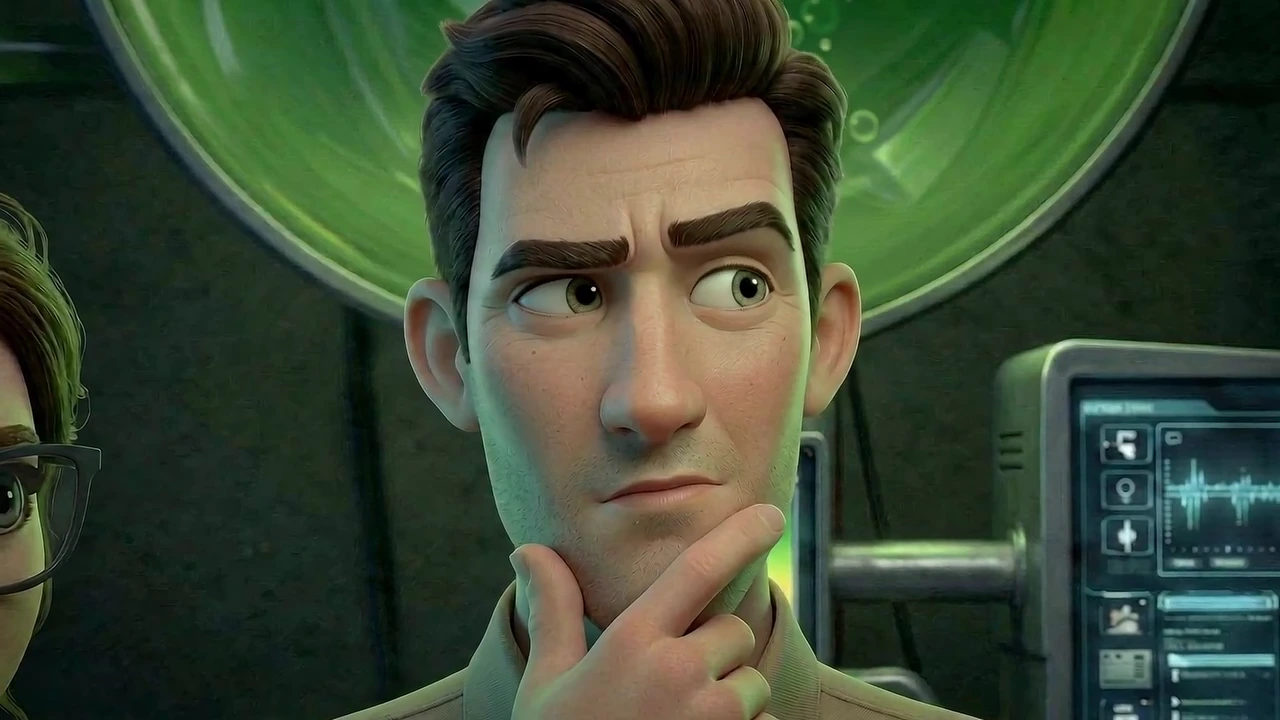
Biome Brigade Episode 1 shows the kind of pipeline this page describes: written scenes moved into shot planning, storyboard frames, AI-generated video, and edit inside one connected production workflow.
Minutes
From script import to a first board draft
1 script
Source for scenes, shots, and frames
1 workflow
Script, boards, video, and edit connected
4 min
Finished episode runtime (Biome Brigade)
FAQ
Frequently asked questions
Can AI turn a script into a storyboard automatically?
Yes. AI script-to-storyboard tools read scene text, propose shots, and generate panels per shot. Quality improves when the tool keeps each frame tied to its scene and cast references—so the model knows who is on screen and what story beat the image must illustrate.
Is there free script to storyboard AI?
Several tools offer free trials or limited exports, and they can be useful for testing a quick idea. For professional work, compare what happens after the first panel: whether characters remain consistent, whether teammates can review shots, and whether approved boards can move into video or production.
What file formats work for script import?
Production workflows commonly support Final Draft (.fdx), Fountain, PDF, or native screenplay pages, depending on the tool. The important requirement is that imported scenes remain editable and structured, so they can feed shot planning and storyboards instead of becoming a flat document.
How is script to storyboard different from a storyboard generator?
A generator makes pictures from a prompt. Script-to-storyboard starts from screenplay structure—scenes, characters, and action—so coverage and sequence order reflect the actual script rather than a single text box.
Can I storyboard online without desktop software?
Yes. Web-based platforms let teams import scripts, build boards, and share reviews in the browser. Ciaro Pro runs in the browser and connects boards to AI video and editing in the same workspace.
Explore next
Related answers and features
Script to storyboard sits between writing and motion in the Ciaro Pro pipeline.
Start from the script, not a blank panel
Import your screenplay, break scenes into shots, and generate boards that stay linked through production.