What Is AI Video Production Software?
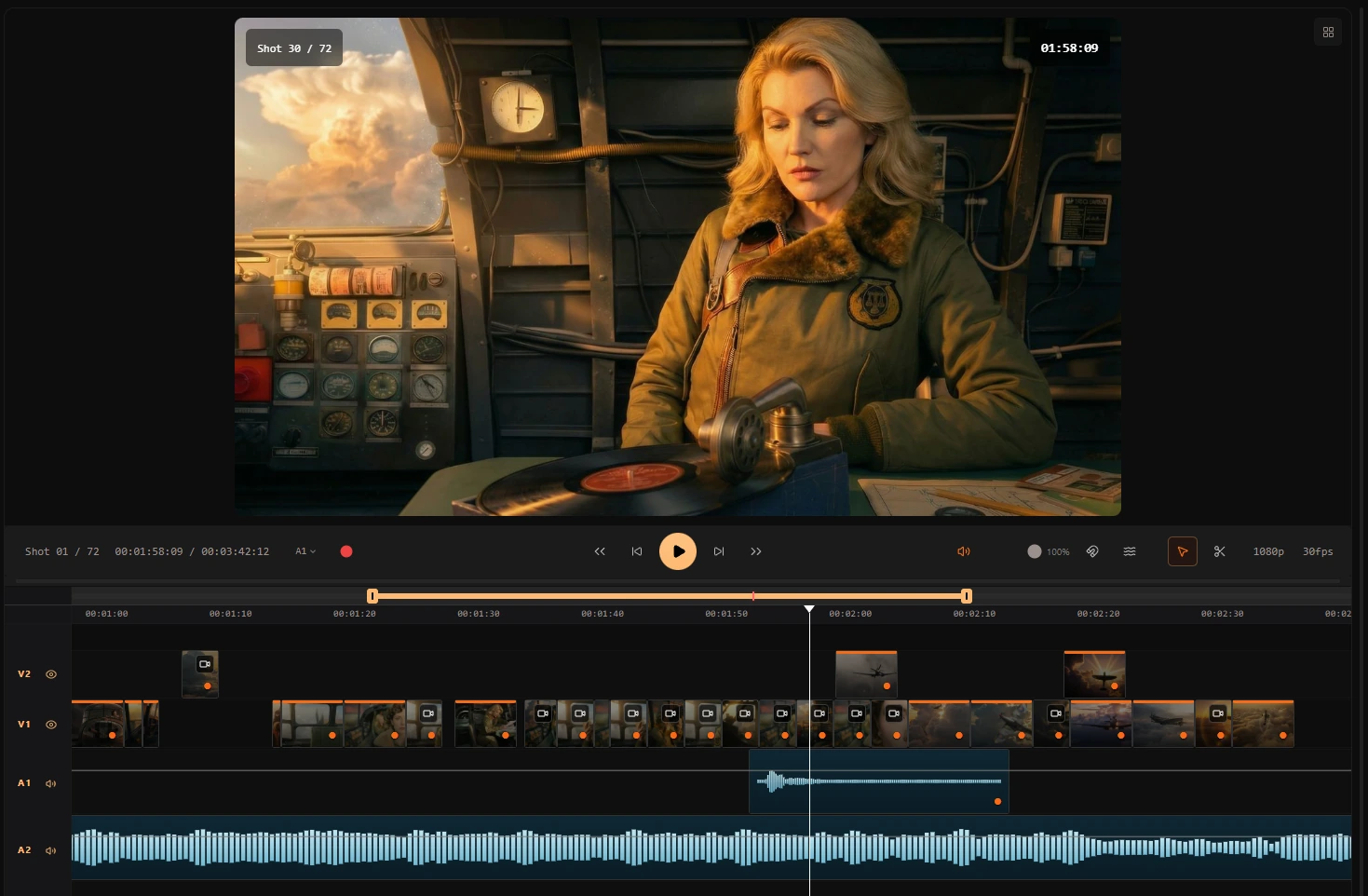
AI video production software is a platform for managing the full path from story to finished video: script, visual planning, storyboards, generated clips, assets, review, and timeline editing. It is different from a basic AI video generator because the goal is not one prompt-to-clip result; the goal is a repeatable production workflow where shots, characters, references, and edits stay connected.
Definition
AI video production, defined
A generator can answer a simple request such as: "Make a video about this idea." Production software has to answer a harder one: "Here is scene 12, shot 3; use the approved board and cast references, generate takes, place the selected version on the timeline, and keep the project ready for review."
That distinction matters for filmmakers, agencies, and studios because their deliverable is usually a sequence, ad, episode, pitch film, or campaign system—not a single isolated clip.
Read the AI video production software for teams landing for pipeline features and pricing context.
Definition
AI video production software is an integrated environment where writing, visual planning, generative video, media libraries, and non-linear editing work as one production—so teams deliver sequences and projects, not disconnected files.
How it works
How does AI video production software work?
A production platform chains creative stages instead of forcing exports between apps.
Write and structure the story
Screenplays and scenes define beats, characters, and locations for everything downstream.
Plan visually
Storyboards and shot notes set coverage before any pixels are generated.
Generate clips with context
Image-to-video and model runs use shot references—not isolated prompts.
Organize assets
Media, versions, and approvals live in a production library tied to shots.
Edit and deliver
Timeline tools assemble sequences, adjust timing, and export masters.
Benefits
Why teams choose production software over clip tools
Script-to-edit continuity
Changes in the script can propagate to planned shots instead of restarting in a new app.
Professional review
Status, notes, and approvals mirror how studios work through cuts.
Asset discipline
Libraries keep takes, references, and exports findable per project.
Multi-shot consistency
Characters and style references ride along every generation.
Editorial control
An AI-powered NLE trims, orders, and finishes—not just a download link.
Scalable teamwork
Roles and shared workspaces support agencies and studio pipelines.
Workflow example
One production from script to master
Ciaro Pro keeps generative steps inside a timeline-aware project.
- 1
Screenplay locked for previs
Scenes 1–8 approved for visual development.
- 2
Boards signed off
Shot cards carry references into generation queues.
- 3
Clips generated per shot
Image-to-video respects board framing and cast.
- 4
Sequence on the timeline
Editor assembles, adjusts pacing, exports the episode or spot.
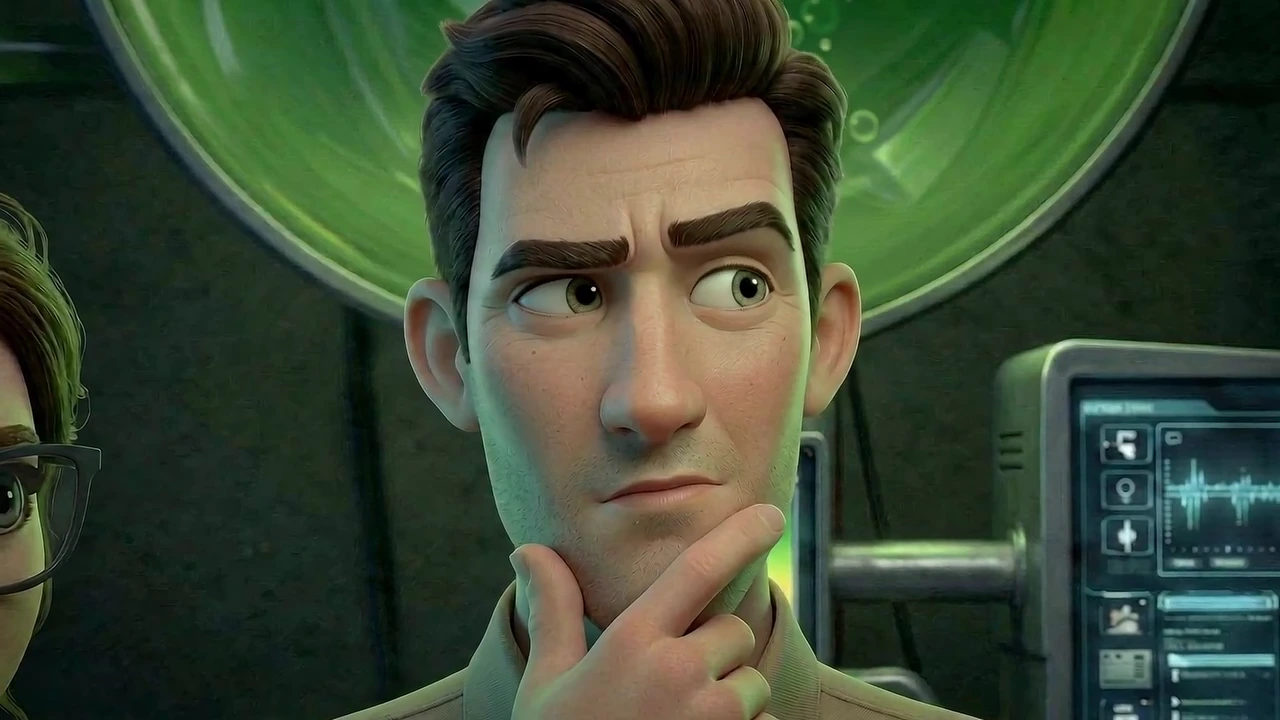
Between boards and the timeline, see storyboard to video AI for the board-to-clip step.
Comparison
AI video production software vs AI video generators
Prompt-based generators are useful for fast tests. Production software is built for multi-shot work where continuity and review matter.
Capability
Ciaro Pro (production)
Prompt-based generators
Input
Script, shots, references
Single text or image prompt
Output
Sequences, cuts, and timelines
Individual clips
Continuity
Cast and style libraries
Often inconsistent
Editing
Built-in NLE
External editor required
Team workflow
Review and asset management
Individual accounts
Who uses it
Who uses AI video production software?
Professional media teams that need repeatable pipelines, reviewable work, and finished sequences.
Client delivery
Governed reviews from brief through master.
Ambitious sequences
Plan and finish scenes without a full crew.
Episodic output
Reuse assets and pipelines across episodes.
Campaign systems
Keep look and message consistent across cuts.

Proof
Production-grade output, not clip tests
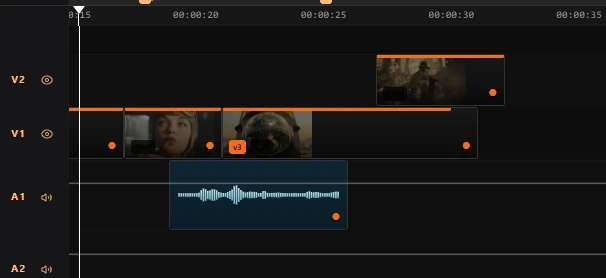
Biome Brigade demonstrates the kind of workflow AI production software should support: script-linked planning, generated shots, and editorial finish inside one project.
Full pipeline
Script → board → video → edit
1 timeline
Clips assembled without leaving the project
4 min
Finished episode runtime (Biome Brigade)
< 4 weeks
Total production time (showcase)
FAQ
Frequently asked questions
What is the difference between AI video production and AI video generation?
Generation creates media from a prompt or image. Production includes planning, asset management, collaboration, and editing so many clips become a coherent project. Production software may include generators, but generators alone rarely cover the full workflow.
Can AI video production software replace a traditional NLE?
It can replace some early editing and assembly work, especially for AI-native projects. Many professional teams will still finish in DaVinci Resolve, Premiere, or another specialist NLE. The value of an AI production timeline is that generated takes, boards, notes, and rough cuts stay organized before final finishing.
Is AI video production software only for filmmakers?
No. Animation studios, agencies, educators, and corporate video teams use the same pipeline discipline—script or brief, visual plan, generated media, and review—when they need controlled output.
How does AI video production software handle consistency?
Consistency comes from shot-linked references, character libraries, and reusing approved boards as generation inputs—not from repeating the same global prompt. Connected platforms store that context per shot.
What should I look for when comparing tools?
Check script support, storyboard linkage, model choice, asset management, collaboration, timeline editing, review workflow, and export options. If your deliverable is a sequenced project, make sure the tool handles many shots, takes, and revisions—not only isolated generations.
Explore next
Related answers and features
AI video production sits at the center of the Ciaro Pro platform.
Produce video, not isolated clips
Run script, boards, AI generation, and edit in one AI video production workspace.