Digital asset management software for film and animation studios
Ciaro Pro gives professional studios a searchable media asset management system for shot references, generated frames, characters, props, voices, models, scripts, and production files. Keep every asset connected to the story, scene, shot, or character, then sync editor-ready folders for DaVinci Resolve, Premiere Pro, and animation pipelines.
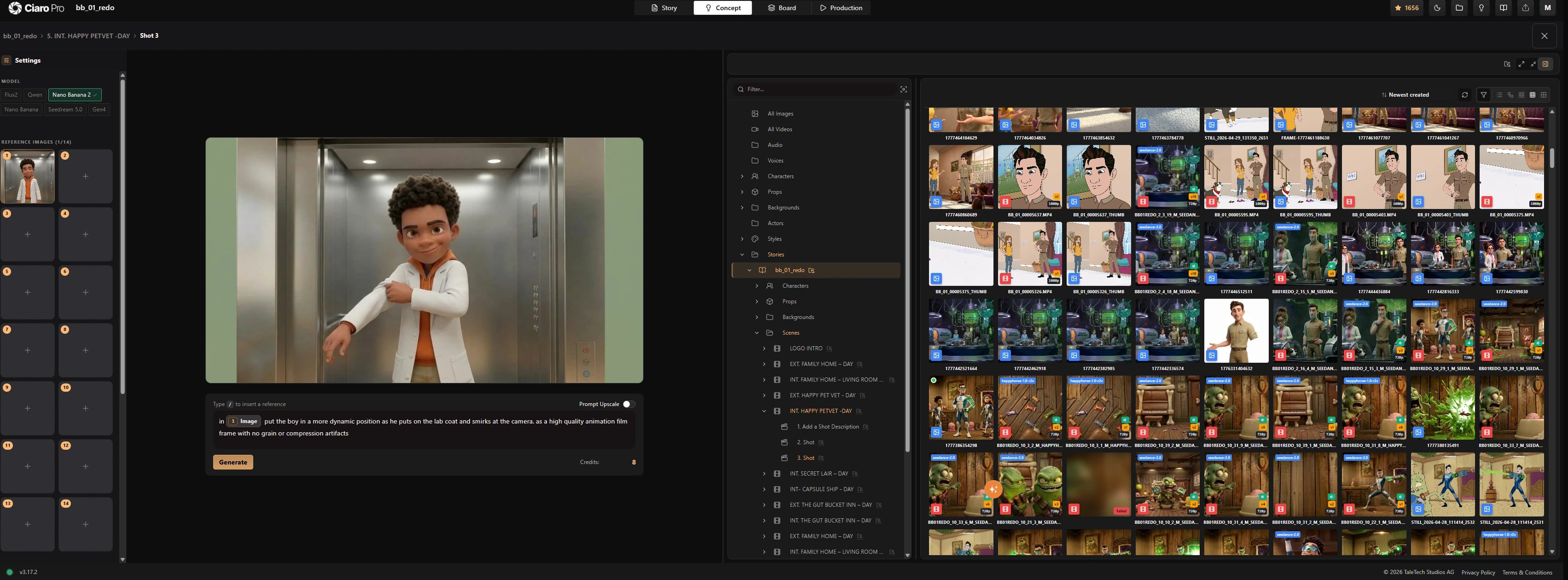
Production asset library
Professional asset management software for AI film production
Film production and animation teams create assets fast: references, concept art, generated frames, upscales, video takes, audio, voices, LoRA models, scripts, and shot media. Ciaro keeps them attached to the story, scene, shot, character, prop, background, or style they belong to.
That structure turns Ciaro into a studio-ready digital asset management platform for AI production, so producers, directors, artists, and editors can search, reuse, approve, and move media forward without rebuilding context in scattered drives.
Asset libraries pay off when they sit inside the full pipeline. Compare AI video production software for script-to-export production teams.
Try the asset manager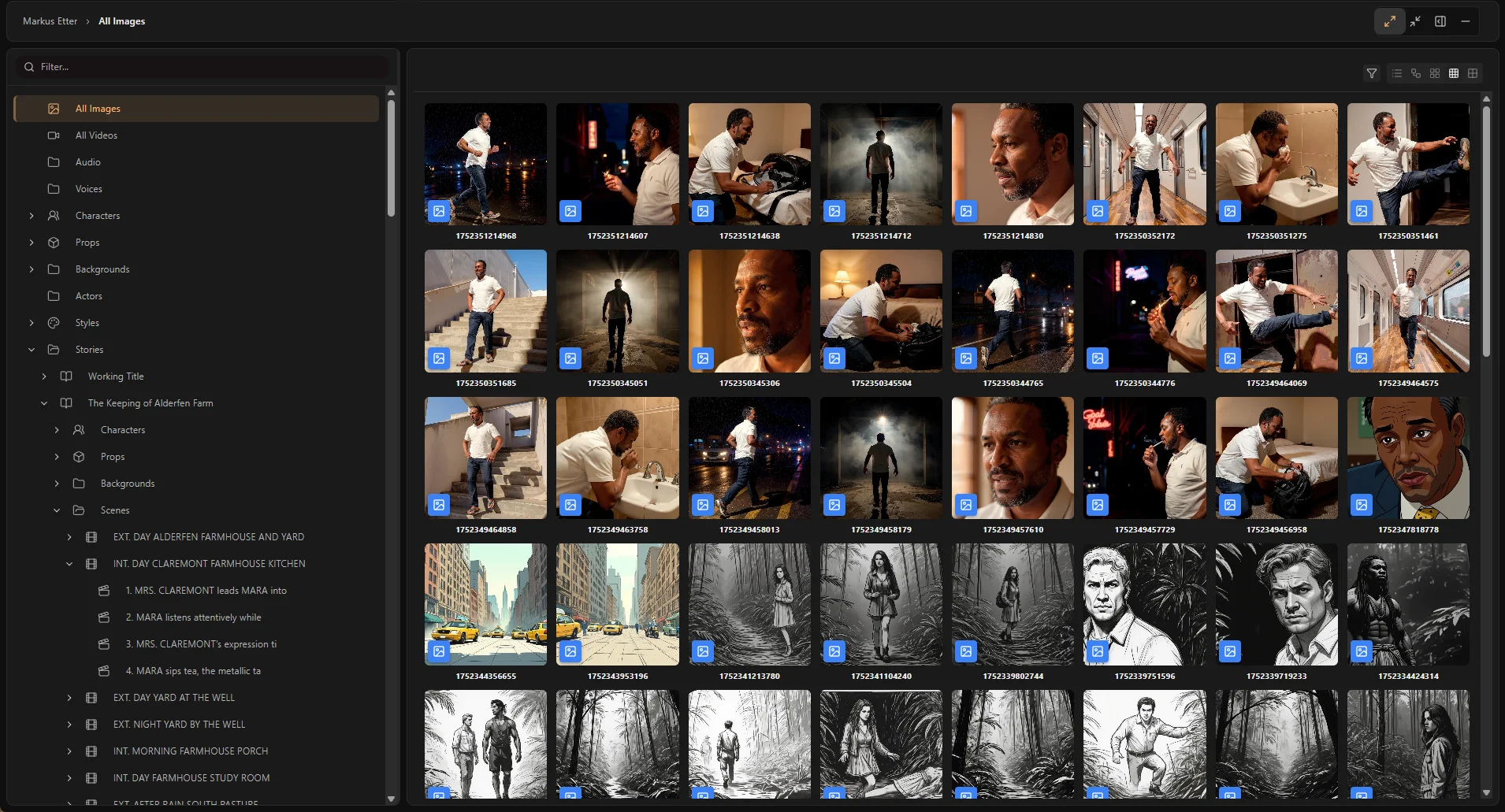
What studios manage
One media asset management system for creative production files
Use Ciaro as the central source of truth for the creative and technical assets behind film, commercial, and animation projects.
Film and animation media
Browse stories, scenes, shots, selected frames, variants, generated videos, audio, and script versions in production context.
Characters, props, and worlds
Keep characters, props, backgrounds, styles, sketches, reference images, and custom AI models grouped with the entities they define.
Post-production assets
Manage video takes, proxies, stills, audio files, voices, GLB/Blender references, and model files without losing their production origin.
Editorial handoff
Sync production assets to disk for Resolve and Premiere Pro
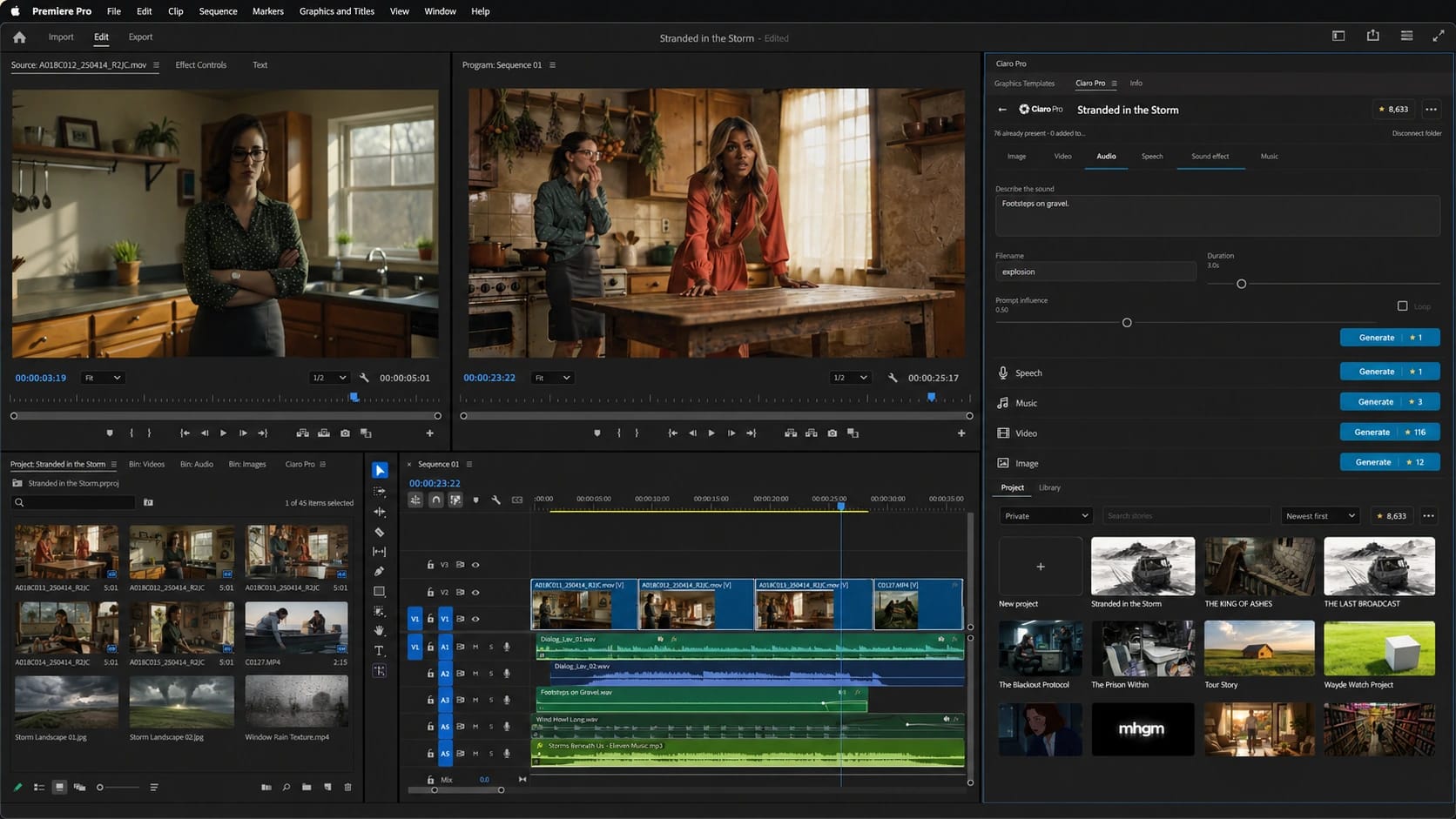
Choose a story, scene, shot, or asset scope and sync it to a local folder. Ciaro can create editor-friendly structures for full-res video, proxies, stills, and audio so your NLE or animation pipeline can relink cleanly.

Direct-to-bin sync
Put your Ciaro Pro assets where the editor needs them.
Connect your account and sync available production media into Premiere Pro bins—then create any missing visual or audio asset in the same panel.
Production tools
From AI-generated media to studio asset control
Create in context
Generate or upload assets directly where professional production work happens: a shot, character, prop, background, style, or story.
Review and reuse
Search, filter, compare, copy, move, and reuse references without breaking the connection to the production structure.
Hand off cleanly
Sync the right scope to local folders so editors, animators, and post-production teams can keep working in their preferred tools.
Professional control
Built for studios that cannot afford asset drift
Ciaro Pro keeps digital asset management practical as the project grows. Characters, props, backgrounds, scripts, models, generated media, and local sync folders stay grouped in a structure the whole studio can search, reuse, and understand.
That matters when film production or animation delivery is moving quickly. Clean media structure makes approvals easier, reuse more reliable, and editorial handoff less fragile.
Shared canonical references
Give producers, directors, artists, and editors one trusted reference set when shots, scenes, revisions, and generated variants start multiplying.
Less library drift
Reduce duplicate media, lost references, mystery exports, and folder chaos across creative, animation, and post-production work.
Editor-ready structure
Keep AI-generated production assets usable outside Ciaro, with local folders designed for real editorial workflows.
AI film continuity
Keep characters, wardrobe, locations, and assets consistent across multi-shot AI scenes.
Next
Keep going from here
More on storyboards, generation, and finishing—chosen for the page you are on.